The Moment CSS Made Me Feel Confident

HTML helped me understand structure-the sequence that follows the words as we see them on our web pages.

CSS did something else.

It gave me confidence- The power to affect the styles and colours of those words: the building blocks, that appear on the web.

Not the loud kind of confidence. Not the kind that announces itself.
The quiet kind — the kind that settles in slowly and stays.


At first, Cascading Style Sheet, CSS felt like decoration.

Colors.
Spacing.
Fonts.
Layout tweaks.

It didn’t seem essential in the way HTML did. HTML explained what things were- essentially the building blocks. CSS only changed how they looked — or so I thought.

But the first time I changed a color and saw the page respond, something shifted.


Then it happened again.

I adjusted spacing and the layout stopped feeling cramped.
I styled a button and it finally looked clickable and appeared in clean colours that could be tweaked by mere adjustment of a few codes.
I fixed a broken alignment and understood why it had been wrong in the first place.

None of these moments were dramatic.
But together, they changed how I felt about what I was building.

For the first time, I wasn’t just placing content on a page.

I was shaping it.


CSS didn’t make me feel like an expert.

It made me feel in control — even if only a little.

That mattered more than I expected.

Before then, tech often felt fragile. One small change could break everything. the small frustration that creeps in when it does. I wasn’t always sure why something looked wrong, only that it did.

CSS slowed that chaos down. It meant that for every break, there is a reason. Once the reason is discovered and fixed, everything became normal again.

It taught me that layout follows rules.
That spacing isn’t random.
That visual structure has logic behind it.

Once I understood that, things stopped breaking “mysteriously.”

They broke for reasons. That clarity removed frustrations. If something breaks, find the cause and fix it. That awareness replaced frustrations with patience.


So CSS also taught me patience.

Sometimes a single property didn’t work the way I expected. Sometimes fixing one thing exposed another problem. Sometimes the solution wasn’t obvious.

But each adjustment taught me something.

I began to recognize patterns:

  • why elements stack the way they do,
  • why margins behave differently from padding,
  • why a small change can have a big visual effect…
  • And the beauty of all them put together.

The page stopped feeling hostile.

It started feeling negotiable.


What CSS really gave me wasn’t that beauty.

It gave me incremental control. A feeling of ability that was not as concrete as it became.

I didn’t need to know everything to improve something.
I just needed to understand the next small step.

That realization changed how I approached learning.

Learning tech wasn’t about mastery.
It was about steady influence over the system in front of me. A little consistent steps that beats intensity.


That confidence carried me forward.

Not because the next phase was easier — it wasn’t.
But because I had learned something important by then:

I could move from confusion to clarity, one adjustment at a time.

And once you experience that even once, you trust that it can happen again.


This post is part of my ongoing learning archive.
My Tech Learning Journey — One Step at a Time

Why I Started My Tech Journey with HTML

When I decided to learn tech, I didn’t start with Python or JavaScript.

I started with HTML.

Before then I had become very interested in how images, colours and texts take shape on the web. The forms they take from the time of request till when it appears on our screens. What is responsible for these dynamics? Why do some texts appear in italics, bold or normal? What is responsible for the difference in colours? How is the spacing between words achieved? Why do some texts appear on the right and others on the left? How is this achieved? How do I get to have options and when I make inputs, I get results? It was these interests that churned on as the days passed that led me to the building block of the web-HTML.

At the time, it didn’t feel like a bold decision especially when I discovered a few days into the study what Ai could now do in that respect. Even a friend of my in the Tech industry whom I had informed of my interest and my decision to learn this skill alluded to this fact. He said it was a waste of time and advised that I focus on other more profitable aspect of Tech. But that did not assuage the thirst and I kept on. And Thank God I did!

But it felt almost underwhelming. I did not understand why. HTML wasn’t glamorous. It didn’t promise automation, intelligence, or complex logic. It was just structure — tags, elements, and files.

And at first, it felt too simple.
Almost boring.

But looking back now, that simplicity was exactly what I needed. It provided the type of ground that formed my very first steps in this journey. The exact type I so much desired.


HTML was the first time tech stopped feeling abstract.

Before then, “the web” was something I used, not something I understood. Pages loaded. Buttons worked. Content appeared. But none of it had a shape in my mind only bewilderment that later gave rise to interest.

HTML changed that.

It showed me that the web isn’t magic — it’s structure.
Headings, paragraphs, links, images.
Files connecting to files.
Content arranged intentionally.

For the first time, I could see how things fit together.


What HTML gave me wasn’t intelligence.
It gave me orientation. A picture; an outline.

I began to understand:

  • how content is displayed,
  • how a browser reads files,
  • how one file can point to another,
  • how a simple mistake can break a page — and how fixing it restores order.

These weren’t advanced concepts, but they were grounding.

Instead of feeling lost inside “tech,” I had a map.


More importantly, HTML gave me early wins. I now saw how websites are built. How the texts are formed. How images are rendered.

I typed something.
I saved the file.
I opened it in a browser.

And there it was.

It didn’t matter that it looked ugly.
It didn’t matter that it wasn’t styled.
What mattered was that something I created appeared in front of me.

That moment did more for my confidence than any explanation ever could. And it was fun too to see the “magic” I could now activate!!


HTML didn’t make me feel “smart.”

It made me feel capable.

That difference is subtle, but important.

Feeling smart fades quickly when things get hard.
Feeling capable stays with you when you hit confusion.

I had been somewhat carefree in handling files. HTML taught me that I could:

  • follow structure,
  • make sense of errors,
  • fix what was broken,
  • and build something visible from nothing.

At the beginning, that matters more than complexity.


Looking back now, I see that starting with HTML wasn’t about learning a language.

It was about learning how to stand inside tech without fear.

It slowed things down in the right way.
It removed pressure.
It allowed understanding to form without intimidation.

Though I am still learning but that foundation made everything that followed possible.


If you’re starting tech today, HTML is not a waste of time.

It won’t impress anyone just like I did not impress my friend.
It won’t make you feel advanced.

But it will give you something more valuable early on:

A sense that you belong here.
A sense that you can build.
A sense that learning is possible.

And sometimes, that’s the most important foundation of all.


This post is part of my ongoing learning archive.
My Tech Learning Journey — One Step at a Time
Why I am Documenting My Tech Learning Properly This Time

I have been learning tech for a while now. 

HTML.
CSS.
JavaScript.
Python.

On paper, it looks like progress. And in many ways, it was.

But recently, I realized something important:

I learned, what I should consider, a lot of things, yet I didn’t truly document the journey.

Not the confusion.
Not the incessant nudge to give up.

Not the false starts.
Not the moments when things didn’t make sense but I kept going anyway.

What existed were outcomes — not the thinking that led to them.


For a long time, I assumed documentation was something you did after you had figured things out. Something reserved for experts, teachers, or people who already had clarity.

So I focused on consuming content instead:

  • tutorials,
  • guides,
  • videos,
  • explanations.

I was learning, yes — but quietly. Internally. Without leaving a trace of how my understanding was forming.

Looking back now, I see that this made it harder to notice patterns:

  • where I was improving,
  • where I was stuck,
  • what actually helped me move forward.

This time,  I am doing it differently.

Not because I suddenly became more disciplined.
Not because I want to teach.
And certainly not because I think I have “arrived.”

I am documenting because clarity doesn’t come from speed.
It comes from structure.

Writing forces me to slow down.
To name confusion instead of rushing past it.
To understand why something works, not just that it does.


This space — ObisDeck — is not a tutorial platform in the traditional sense.

It is:

  • a learning archive,
  • a thinking log,
  • a place where progress is allowed to be slow,
  • and where understanding is allowed to form honestly.

Some entries will be reflective.
Some will be practical.
Some will simply capture a shift in how I see things.

All of them will be real.


I am not documenting to prove anything.

I am documenting because I have learned that when learning remains invisible, it’s easy to feel like nothing is happening — even when growth is taking place.

By writing things down, I give my learning a shape.
By structuring it, I give it direction.

That’s what this journey is about.


If you’re learning tech quietly —
if you’ve started, stopped, restarted, or hesitated —
or if you’ve felt like you’re “doing the work” but still unsure where you stand,

you’re welcome to follow along.

This is not a race.
It’s a process.

And this is the first step.


This post is part of my ongoing learning archive.
My Tech Learning Journey — One Step at a Time

Why Tutorials Alone Didn’t Give Me Flow

There was a period in my learning where everything looked right from the outside.

I was watching tutorials- Youtube videos and others.
I was reading guides-including PDF´s of code journals, W3Schools website and the in-depth coverage it gave in almost all programming languages.
I was following along, typing what I saw, and getting the expected results.

By most standards, I was “learning.”

But internally, something felt off. And so I felt.

I wasn’t lost, yet I wasn’t settled either. I could reproduce steps, but once the tutorial ended, the confidence faded quickly. The sense of flow I expected never really arrived. I could not actually connect the dots thereafter.

At that stage, my learning was mostly driven by consumption. Wait longer, it tends to dissipate-lost almost completely. And with a bit of frustration at how I could forget so soon, I would go back to try to fill the gaps again.

I moved from one tutorial to the next, assuming that consistency alone would eventually turn into understanding. Each video felt productive. Each article felt useful. And in isolation, they were.

But what I didn’t realize at the time was that I was collecting information, not owning it.

I could follow instructions, but I struggled to explain why something worked. If a small detail changed, I had to go back to the tutorial. If I faced a slightly different problem, the clarity disappeared.

The knowledge was there — but it wasn’t anchored.

This wasn’t a failure of tutorials.

In fact, tutorials helped me overcome fear. They introduced me to tools, concepts, and possibilities I might not have approached on my own. They lowered the barrier to entry and made learning feel accessible.

But they had a limitation I didn’t see early enough.

Tutorials are designed to show a path, not to build ownership. They guide you forward, but they don’t pause to ask whether you truly understand what just happened.

And I wasn’t pausing either. Just going.

The real issue wasn’t that I was learning the “wrong” way.
It was that I hadn’t yet learned how I needed to learn.

I mistook movement for progress.
I assumed that more effort will bring clarity and that staying busy meant things were sinking in.

But flow doesn’t come from repetition alone. It comes from clarity — and clarity only appears when you slow down enough to reflect.

That realization didn’t arrive as frustration or burnout. It came quietly.

I noticed that the moments where things finally made sense were the moments when I stepped away from the tutorial and tried to explain the idea to myself — sometimes in writing, sometimes mentally, sometimes by rebuilding something without guidance.

Those moments were slower. Less impressive. Less visible.

But they stayed with me.

That was the beginning of a shift.

I didn’t abandon tutorials. I simply stopped letting them lead the entire process. I began paying attention to what confused me, where I hesitated, and what I couldn’t explain clearly.

Writing became a tool, not for teaching others, but for understanding myself.

Documenting what I was learning forced me to confront gaps that tutorials had quietly allowed me to skip. Reflection turned passive knowledge into something more solid. Then the dots started connecting.

That’s when learning started to feel different.

This post sits between From Fear to Flow and the more structured journey that followed.

It represents the phase where learning looked productive, but understanding was still forming. It explains why documentation became necessary — not for content, not for performance, but for clarity.

The stages that come after this are shaped by that realization.

I didn’t need more speed.
I needed more structure.

And that’s where the next part of the journey begins.

This post is part of my ongoing learning archive.
My Tech Learning Journey — One Step at a Time
Blue-Light Blocking Glasses: Do They Really Work — And Should You Be Using Them?

Introduction: The Hidden Strain of Modern Life

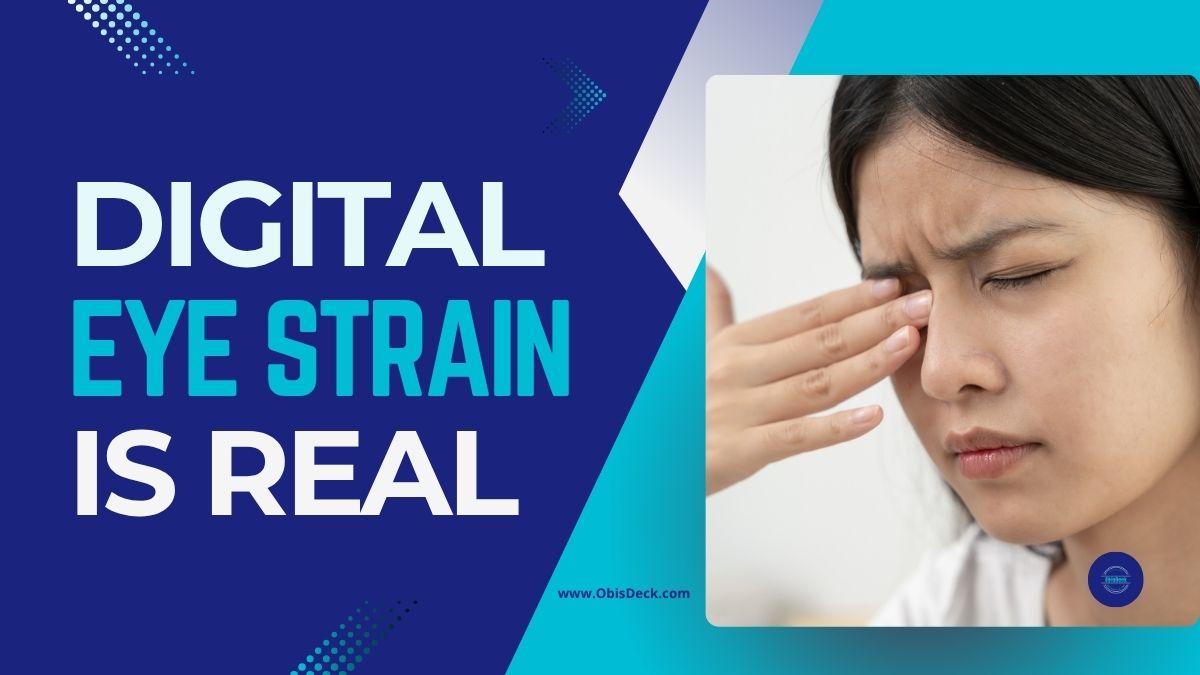
It is late at night, and your phone screen glows inches from your face. Your eyes burn, your head feels heavy, and when you finally switch off, sleep doesn’t come easily. Sound familiar?

You are not alone. Research shows that the average adult now spends over seven hours a day in front of digital screens — phones, laptops, TVs, tablets. For professionals, creators, and students, it’s even higher. The result? A silent epidemic of digital eye strain and disrupted sleep.

Enter blue-light blocking glasses — hailed by some as a wellness hack and dismissed by others as hype. As someone who lives at the intersection of content creation and wellness expertise, I have dug deep into the science, the user experience, and the practical benefits. Here’s what you need to know.


What Exactly Is Blue Light?

Blue light is part of the visible light spectrum, with high-energy, short wavelengths. It comes from the sun (good in moderation) but also floods out of our screens — laptops, smartphones, and LED lighting.

The problem is timing. During the day, blue light can boost alertness and productivity. But at night, excess exposure can suppress melatonin, the hormone that helps you sleep. Prolonged daily exposure has also been linked to digital eye strain, headaches, and blurred vision. Research shows that blue light can suppress melatonin and disrupt sleep cycles.


Why Screen Time Is Becoming a Health Crisis

The modern lifestyle means screen time is no longer optional — it is work, school, entertainment, and even social life. In surveys, professionals report:

  • Insomnia after late-night scrolling.
  • Eyestrain and dryness after long Zoom sessions.
  • Headaches from switching between multiple screens.

Eye specialists now warn that while blue light won’t “burn your retina” overnight, years of exposure without countermeasures can compound stress on the visual system.


What Are Blue-Light Blocking Glasses?

Blue-light blocking glasses are designed with special lenses that filter high-energy visible light before it reaches your eyes. Depending on the brand, they may have clear lenses for everyday use, or amber/yellow lenses that block more light (especially for nighttime).

Potential benefits:

  • ✅ Less eye strain during long screen sessions.
  • ✅ Reduced glare and flicker sensitivity.
  • ✅ Better sleep quality when used in the evening.
  • ✅ Fewer headaches linked to digital fatigue.

Do they work for everyone? No. Some studies show mixed results. But thousands of users — from gamers to office workers — report noticeable relief. As with most wellness tools, it’s about stacking small wins.


Who Should Consider Wearing Them?

If you fall into one of these groups, glasses might make a big difference:

  • Office professionals spending 8+ hours on a laptop.
  • Students studying late at night.
  • Content creators, coders, designers, or video editors.
  • Gamers and streamers.
  • Parents who worry about kids’ screen habits.

As one optometrist puts it: “Lifestyle changes are the foundation, but for heavy screen users, glasses are a simple, affordable extra layer of protection.”


How to Choose the Right Pair

Not all glasses are created equal. Here’s what to look for:

  • Frame comfort — You’ll be wearing them for hours.
  • Lens clarity — Clear lenses for day use, amber for heavy night use.
  • Anti-glare coating — Reduces reflections from office or studio lights.
  • Price vs. quality — Don’t chase the cheapest; balance value and durability.

👉 One of the most reliable starting points is this pair of Blue-Light Blocking Glasses on Amazon (Affiliate Link). They’re affordable, lightweight, and effective for everyday use.


Complementary Habits for Digital Wellness

Glasses work best when combined with smart habits:

  • 🔆 Turn on “Night Shift” or “Blue Light Filter” mode on devices after sunset.
  • 👁 Follow the 20-20-20 rule: every 20 minutes, look 20 feet away for 20 seconds.
  • 🌙 Keep screens away in the hour before bed.
  • 💧 Stay hydrated — dehydration can make eye strain worse.

Think of glasses as part of a toolkit, not a standalone cure. Explore more tips in my guide on healthy screen habits.


Real-World Results

While the science is still evolving, users worldwide share real benefits:

  • “I no longer get splitting headaches after long gaming sessions.”
  • “I fall asleep faster, even after late-night laptop work.”
  • “As a teacher grading papers online, my eyes don’t burn like before.”

And yes — as a content creator myself, I’ve noticed that editing video for hours feels less harsh with glasses on.


Conclusion: A Small Change With Big Payoff

Blue-light blocking glasses won’t solve all your digital wellness problems. But if you spend hours on screens — and let’s be honest, we all do — they’re a simple, affordable tool worth testing. How to Choose the Right Pair

Your eyes deserve better. Your sleep deserves better. And your productivity depends on both.

👉 If you’re curious to try them, start with this recommended pair on Amazon.Check this affordable pair of blue-light blocking glasses on Amazon and if you want to take your digital wellness further, subscribe to my newsletter — I share simple, science-backed tips every week to help you work smarter, rest deeper, and live better.

My Early Steps into Trading: Learning, Testing, and Building Confidence

Catching the fever:

Trading has always seemed like something only professionals do — the type of thing you see in movies with lots of flashing screens and complex charts. But when I decided to explore the world of trading for myself, I quickly realised: you don’t have to be a professional to start — you just have to be willing to learn, step by step.

A recent conversation with a childhood friend, Moses, gave me new ideas. Later, I spoke again with another very good childhood friend of mine, (Mr Pee) Pius Anokwu, who has been involved in trading for some time. Whenever time permits, we talk — among other things — about trading. There were also a few colleagues at work who engaged in meaningful conversations about trading and were always willing to explain a few concepts when I asked.

Other happenings — my tech journey, random Facebook and Instagram ads — kept nudging me toward it. And the idea that I could enhance my IT learning by building an automated trading dashboard really set me on the path.

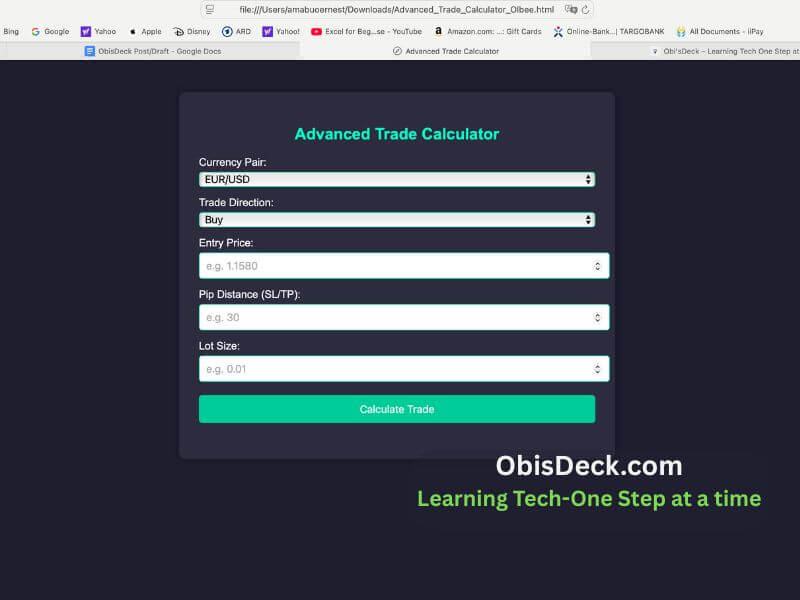
So, over the past few weeks, I’ve been diving into trading using MetaTrader 5 and setting up a proper trading journal. I also began building simple tools — like a pip calculator — and practicing with a demo account through Admiral Markets.


Why I Decided to Learn Trading

Information about trading has always been around me. I’m not talking about the get-rich-quick ads on Facebook or Instagram that push you toward buying strategies or courses. I’m talking about real trading insights: strategies, deeper understanding, the risks and the potential gains.

Conversations with a few people, as I mentioned, helped set me on this path. But the final spark was the possibility of taking structured steps and learning by building pip calculators, trading journals, and tools — all leaning toward automation, which is part of my broader IT learning journey.

This is also part of my pursuit of new ways to generate income. I wanted something that:
✅ Is flexible (I can trade even with a full-time job)
✅ Can be scaled over time
✅ Gives me full control — no one manages my money but me

Trading matched these goals — but I knew it also came with risks. That’s why I committed to learning first, not rushing.


Lessons From My First Trading Weeks

A Trading Journal Is Essential

Keeping records of each trade (what I saw, why I entered, what happened) helps me learn much faster than just guessing or jumping in blind.

I used to think trading involved everything but skill. Now I know that “luck is the intersection between preparation and opportunity.” You must learn the “waltz and foxtrot” of it all. Commit to a deeper learning of the process and extricate yourself from emotions that come with it while focusing on technical and fundamentals of the entire exercise.

Understanding Risk-Reward

Using a clear R:R (Risk-to-Reward) ratio for every trade helps me protect my account and avoid emotional trading.


Building Tools Helps Learning

Creating my own pip calculator in JavaScript has taught me more about pip size, SL/TP, and pair differences than any YouTube video could.

While I don’t underestimate the importance of good YouTube videos on trading, one should be able to localize what is learned — by taking from them and building tools that work for you.


What I’m Working On Next

✅ Testing small demo trades using my tools
✅ Learning more about using technical indicators (RSI, Moving Averages)
✅ Improving my Google Sheet trading dashboard
✅ Exploring automation possibilities (APIs, Zapier)
✅ Continuing to journal every step — wins and mistakes


Final Thoughts: Trading Is a Journey, Not a Race

If you’re new to trading like me, here’s my advice:

Don’t try to “beat the market” overnight.
Start with learning, take notes, build your tools, and track your progress.

This is exactly what I’m doing — and I will continue to share both my wins and mistakes as I go.

Stay tuned for more — and if you’re on a similar learning path, let’s connect!

Learning Tech: Age Is Never a Barrier — What I’ve Discovered About Growth and Change

Introduction

If someone had told me years ago that I’d be editing websites and learning bits of code in my 50s, I would have smiled politely and changed the subject. Technology, to me, was always something other people mastered — the young, the mathematically gifted, the naturally curious. But here I am, navigating my way through HTML, CSS, and digital tools I once thought were far beyond my reach.

And I’m not just surviving it — I’m growing through it.


a middle aged man sitting on a desk with a computer
Age is never a barrier
sitting on a table articulating ideas-a way to start

The Challenge

When I first stepped into this world of tech, I will be lying if I say that I was not overwhelmed. The language was unfamiliar, the tools were many, and the learning curve felt steep. There were moments I stared at the screen, unsure where to click next. I worried I was too old, too slow, or too late to catch up.

Worse still, old fears resurfaced. The same fear that once made me avoid learning table tennis as a child — the fear of making mistakes and being laughed at — showed up again. Only this time, it came dressed in digital clothing.


The Turning Point

What changed?

It wasn’t a sudden burst of courage or brilliance. It was a quiet decision: I would no longer let fear be my guide.
I had a message to share, a voice to express, and technology had become the path to make that happen. I didn’t need to become a programmer. I just needed to be willing to learn — one step at a time.

And once I gave myself permission to be a beginner, something incredible happened: I started enjoying it. The tools that once scared me began to make sense. With each small win — adding a line of code, publishing a blog post, resizing an image — I felt more alive.


What I’ve Learned

This journey has taught me far more than just a few technical skills. It’s taught me about patience, humility, and the beauty of lifelong learning. I’ve learned that age doesn’t disqualify you from growth — it equips you with the maturity to appreciate it.

Learning tech didn’t just stretch my mind — it expanded my confidence. I began to see that my story, told through a digital lens, could reach people I may never meet in person. That’s a powerful thing.

A Personal Realization: Learning Has No Age Limit

I agree that learning follows some general principles. I’m not here to reinvent those or push new boundaries. But I am entitled to tell my own story—and that, I will do, in the only way I can.

Yes, learning has structure, but it is also a journey. And like any journey, it is shaped by the one walking the path. No two experiences are exactly the same.

I have never enjoyed learning more than I do now. Perhaps it’s a function of age. My experience isn’t fundamentally different—but there are things you only fully understand when you’ve lived a while. This, for me, is one of them.
Now feels like the perfect time to learn. The exuberance of youth has given way to something clearer. My mind feels focused. Tasks I once found scattered now appear like vivid pictures—drawing from things I’ve seen, read, lived, and learned over the years. It all comes together in ways that feel whole and fulfilling. Learning is no longer a struggle. It’s a joy. A privilege.

Just yesterday, during a session with ChatGPT about coding basics, fragments of my learning journey came alive—triggered by its clear prompts and structured guidance. A few years ago, this wouldn’t have resonated the same way.

This kind of experience is unique. Personal.

So, why not try something new today?

Olbee- Learning Tech-one step at a time


You might just uncover your self-worth—or awaken a hidden talent you didn’t know you had.
There’s a learning path out there that only you can walk.


Encouragement to Others

If you have ever felt like it’s too late to learn something new, especially something like technology, let me be honest with you: it’s not too late.

You don’t have to master everything. You just have to start.

You might stumble, yes. But every stumble is a sign that you are moving — and every movement is important because it counts.


Call to Action

What new skill would you explore if fear wasn’t holding you back? Could you share that with us?

Maybe today is the day to take the first small step.
And if this post reminded you of someone who needs a gentle nudge, send it their way. Growth isn’t a race — it’s a decision. One you can still make, right now.