Why Tutorials Alone Didn’t Give Me Flow

There was a period in my learning where everything looked right from the outside.

I was watching tutorials- Youtube videos and others.
I was reading guides-including PDF´s of code journals, W3Schools website and the in-depth coverage it gave in almost all programming languages.
I was following along, typing what I saw, and getting the expected results.

By most standards, I was “learning.”

But internally, something felt off. And so I felt.

I wasn’t lost, yet I wasn’t settled either. I could reproduce steps, but once the tutorial ended, the confidence faded quickly. The sense of flow I expected never really arrived. I could not actually connect the dots thereafter.

At that stage, my learning was mostly driven by consumption. Wait longer, it tends to dissipate-lost almost completely. And with a bit of frustration at how I could forget so soon, I would go back to try to fill the gaps again.

I moved from one tutorial to the next, assuming that consistency alone would eventually turn into understanding. Each video felt productive. Each article felt useful. And in isolation, they were.

But what I didn’t realize at the time was that I was collecting information, not owning it.

I could follow instructions, but I struggled to explain why something worked. If a small detail changed, I had to go back to the tutorial. If I faced a slightly different problem, the clarity disappeared.

The knowledge was there — but it wasn’t anchored.

This wasn’t a failure of tutorials.

In fact, tutorials helped me overcome fear. They introduced me to tools, concepts, and possibilities I might not have approached on my own. They lowered the barrier to entry and made learning feel accessible.

But they had a limitation I didn’t see early enough.

Tutorials are designed to show a path, not to build ownership. They guide you forward, but they don’t pause to ask whether you truly understand what just happened.

And I wasn’t pausing either. Just going.

The real issue wasn’t that I was learning the “wrong” way.
It was that I hadn’t yet learned how I needed to learn.

I mistook movement for progress.
I assumed that more effort will bring clarity and that staying busy meant things were sinking in.

But flow doesn’t come from repetition alone. It comes from clarity — and clarity only appears when you slow down enough to reflect.

That realization didn’t arrive as frustration or burnout. It came quietly.

I noticed that the moments where things finally made sense were the moments when I stepped away from the tutorial and tried to explain the idea to myself — sometimes in writing, sometimes mentally, sometimes by rebuilding something without guidance.

Those moments were slower. Less impressive. Less visible.

But they stayed with me.

That was the beginning of a shift.

I didn’t abandon tutorials. I simply stopped letting them lead the entire process. I began paying attention to what confused me, where I hesitated, and what I couldn’t explain clearly.

Writing became a tool, not for teaching others, but for understanding myself.

Documenting what I was learning forced me to confront gaps that tutorials had quietly allowed me to skip. Reflection turned passive knowledge into something more solid. Then the dots started connecting.

That’s when learning started to feel different.

This post sits between From Fear to Flow and the more structured journey that followed.

It represents the phase where learning looked productive, but understanding was still forming. It explains why documentation became necessary — not for content, not for performance, but for clarity.

The stages that come after this are shaped by that realization.

I didn’t need more speed.
I needed more structure.

And that’s where the next part of the journey begins.

This post is part of my ongoing learning archive.
My Tech Learning Journey — One Step at a Time

Blue-Light Blocking Glasses: Do They Really Work — And Should You Be Using Them?

Introduction: The Hidden Strain of Modern Life

It is late at night, and your phone screen glows inches from your face. Your eyes burn, your head feels heavy, and when you finally switch off, sleep doesn’t come easily. Sound familiar?

You are not alone. Research shows that the average adult now spends over seven hours a day in front of digital screens — phones, laptops, TVs, tablets. For professionals, creators, and students, it’s even higher. The result? A silent epidemic of digital eye strain and disrupted sleep.

Enter blue-light blocking glasses — hailed by some as a wellness hack and dismissed by others as hype. As someone who lives at the intersection of content creation and wellness expertise, I have dug deep into the science, the user experience, and the practical benefits. Here’s what you need to know.


What Exactly Is Blue Light?

Blue light is part of the visible light spectrum, with high-energy, short wavelengths. It comes from the sun (good in moderation) but also floods out of our screens — laptops, smartphones, and LED lighting.

The problem is timing. During the day, blue light can boost alertness and productivity. But at night, excess exposure can suppress melatonin, the hormone that helps you sleep. Prolonged daily exposure has also been linked to digital eye strain, headaches, and blurred vision. Research shows that blue light can suppress melatonin and disrupt sleep cycles.


Why Screen Time Is Becoming a Health Crisis

The modern lifestyle means screen time is no longer optional — it is work, school, entertainment, and even social life. In surveys, professionals report:

  • Insomnia after late-night scrolling.
  • Eyestrain and dryness after long Zoom sessions.
  • Headaches from switching between multiple screens.

Eye specialists now warn that while blue light won’t “burn your retina” overnight, years of exposure without countermeasures can compound stress on the visual system.


What Are Blue-Light Blocking Glasses?

Blue-light blocking glasses are designed with special lenses that filter high-energy visible light before it reaches your eyes. Depending on the brand, they may have clear lenses for everyday use, or amber/yellow lenses that block more light (especially for nighttime).

Potential benefits:

  • ✅ Less eye strain during long screen sessions.
  • ✅ Reduced glare and flicker sensitivity.
  • ✅ Better sleep quality when used in the evening.
  • ✅ Fewer headaches linked to digital fatigue.

Do they work for everyone? No. Some studies show mixed results. But thousands of users — from gamers to office workers — report noticeable relief. As with most wellness tools, it’s about stacking small wins.


Who Should Consider Wearing Them?

If you fall into one of these groups, glasses might make a big difference:

  • Office professionals spending 8+ hours on a laptop.
  • Students studying late at night.
  • Content creators, coders, designers, or video editors.
  • Gamers and streamers.
  • Parents who worry about kids’ screen habits.

As one optometrist puts it: “Lifestyle changes are the foundation, but for heavy screen users, glasses are a simple, affordable extra layer of protection.”


How to Choose the Right Pair

Not all glasses are created equal. Here’s what to look for:

  • Frame comfort — You’ll be wearing them for hours.
  • Lens clarity — Clear lenses for day use, amber for heavy night use.
  • Anti-glare coating — Reduces reflections from office or studio lights.
  • Price vs. quality — Don’t chase the cheapest; balance value and durability.

👉 One of the most reliable starting points is this pair of Blue-Light Blocking Glasses on Amazon (Affiliate Link). They’re affordable, lightweight, and effective for everyday use.


Complementary Habits for Digital Wellness

Glasses work best when combined with smart habits:

  • 🔆 Turn on “Night Shift” or “Blue Light Filter” mode on devices after sunset.
  • 👁 Follow the 20-20-20 rule: every 20 minutes, look 20 feet away for 20 seconds.
  • 🌙 Keep screens away in the hour before bed.
  • 💧 Stay hydrated — dehydration can make eye strain worse.

Think of glasses as part of a toolkit, not a standalone cure. Explore more tips in my guide on healthy screen habits.


Real-World Results

While the science is still evolving, users worldwide share real benefits:

  • “I no longer get splitting headaches after long gaming sessions.”
  • “I fall asleep faster, even after late-night laptop work.”
  • “As a teacher grading papers online, my eyes don’t burn like before.”

And yes — as a content creator myself, I’ve noticed that editing video for hours feels less harsh with glasses on.


Conclusion: A Small Change With Big Payoff

Blue-light blocking glasses won’t solve all your digital wellness problems. But if you spend hours on screens — and let’s be honest, we all do — they’re a simple, affordable tool worth testing. How to Choose the Right Pair

Your eyes deserve better. Your sleep deserves better. And your productivity depends on both.

👉 If you’re curious to try them, start with this recommended pair on Amazon.Check this affordable pair of blue-light blocking glasses on Amazon and if you want to take your digital wellness further, subscribe to my newsletter — I share simple, science-backed tips every week to help you work smarter, rest deeper, and live better.

Complementary Habits for Digital Wellness

Introduction

Screens are part of modern life — from laptops at work to phones at night. While tools like blue-light glasses can help, the truth is that lasting digital wellness comes from a set of simple habits anyone can build.


1. Follow the 20-20-20 Rule 👀

Every 20 minutes, look at something 20 feet away for at least 20 seconds. It gives your eyes the micro-breaks they need.


The American Optometric Association recommends the 20-20-20 rule as a simple way to reduce digital eye strain

2. Use Night Mode 🌙

Most devices have a “Night Shift” or “Blue Light Filter.” Turning it on in the evening helps reduce glare and prepare your body for sleep.


3. Take Micro Breaks 🧘

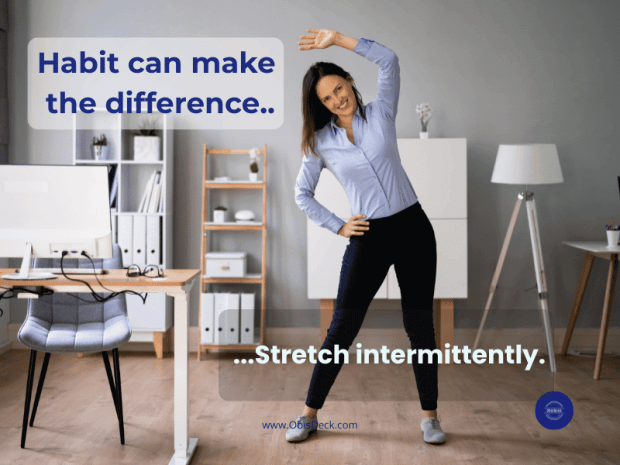
Stand, stretch, or walk for a minute every hour. Movement lowers stress and helps your eyes reset.


4. Manage Notifications 🔕

Constant pings increase screen fatigue. Turn off non-essential alerts or use focus mode to stay balanced.


Conclusion

Digital wellness isn’t about avoiding screens — it’s about using them smarter. Combine these habits with tools like blue-light blocking glasses to reduce strain, improve sleep, and live healthier in a digital-first world.

👉 Explore more in my full post: Blue-Light Glasses — Do They Really Work?

Side Hustles Nigerians Can Start Today (With Low Capital)


Introduction

In Nigeria—home to one of the world’s most entrepreneurial populations—side hustles are more than just extra income. They’ve become a hallmark of ambition and resilience. Whether you want to supplement your salary, gain financial independence, or even launch a future full-time business, there are multiple high-impact hustles you can start today with minimal capital—no MBA required!

👉 Looking for online income streams? Check out our guide on apps Nigerians should be using for daily life


1. Digital Content Creation

Best for: Creatives, teachers, and anyone with a smartphone.

  • YouTube & TikTok: Share cooking recipes, comedy skits, skill tutorials, or motivational talks. Monetise via ads, sponsorships, and affiliate links.
  • Blogging & Micro-blogging: Write about tech reviews, Nigerian travel spots, or lifestyle tips. Earn through display ads, sponsored posts, and consulting.
  • Podcasting: Host discussions on Nollywood gossip, personal finance, or mental health. Once you build a loyal audience, sell sponsorship slots.

💡 Startup cost: Smartphone, decent internet connection, free editing apps. Many Nigerians who gained celebrity status today started took advantage of the internet. Eg. Mark Angel comedy, “Investor Sabinus” etc are just but a few. You can do the same and chat your own course.

👉 For more information, please check out our resource page.


2. E-Commerce and Dropshipping

Best for: Entrepreneurs with an eye for products and branding.

  • Local handcrafts: Sell beaded jewelry, Ankara fabrics, or shea-butter skincare on Jumia or Konga.
  • Dropshipping gadgets: Partner with suppliers on AliExpress or Alibaba; products ship directly to your customers.
  • Print-on-Demand: Use Shopify or Teespring to sell T-shirts, mugs, and tote bags with Naija slogans worldwide.

💡 Pro tip: Customer service is everything—fast responses, shipping updates, and easy returns build trust.

👉 For more info check: Jumia seller Hub:


3. Skills Training & Tutoring

Best for: Students, professionals, or skilled artisans.

  • Academic tutoring: Target JAMB and WAEC candidates in Maths, English, and Sciences (in person or via Zoom).
  • Vocational workshops: Teach hairstyling, makeup artistry, graphic design, or basic coding.
  • Language coaching: Teach Hausa, Yoruba, or Igbo to expatriates—demand is rising!

💡 Pro tip: Share testimonials and short free lessons on social media to build credibility.

A tutor teaching online with a laptop on a desk and students on Zoom.

👉 Getting Started with CSS: How to Style Your First Web Page.


4. Ride-Hailing & Delivery Services

Best for: Car and bike owners in busy cities.

  • Bolt, Uber, Little Cab: Earn flexibly ferrying passengers.
  • Food delivery: Partner with Jumia Food or cloud kitchens—weekends and evenings are peak hours.
  • Errand running: Offer concierge services for grocery shopping, pharmacy pickups, or bill payments. These are gaining traction.

💡 Insight: In Lagos or Abuja, a fuel-efficient bike can often bring higher profits than a car due to traffic congestion.

A delivery rider weaving through Lagos traffic

👉 Check out uber Nigeria Sign-up


5. Agribusiness and Urban Farming

Best for: Those with access to small land or backyard space.

  • Poultry rearing: Start with 50–100 birds; eggs sell quickly in local markets.
  • Snail farming: This is one of the growing businesses and it takes little or nothing to start.
  • Vegetable gardening: Grow tomatoes, peppers, and spinach in sacks or vertical farms. Restaurants often pay top rates for fresh supply.
  • Fish farming: Tilapia or catfish in small tank systems—demand is high in wet markets and eateries.

💡 Good to know: Explore grants and low-interest loans like CBN’s AGSMEIS program to expand operations.

👉 For more information, visit the CBN AGSMEIS Loan


Getting Started Checklist

Validate demand: Ask friends, family, or online groups.
Set goals: Define your budget, time, and revenue targets.
Build your brand: Pick a name, create social media pages, and post consistently.
Deliver excellence: Reliability and quality create repeat customers.
Reinvest profits: Use earnings for marketing, equipment, or stock growth.


Conclusion

Side hustles in Nigeria are more than just extra cash opportunities—they’re incubators for skills, networks, and confidence. By leveraging your talents and Nigeria’s vibrant market, you can transform a simple idea into a thriving venture.

Start small, stay consistent, and grow your side hustle into something much bigger.👉 Looking for more? Read our post on How to Use Apps to Earn Extra Income in Nigeria

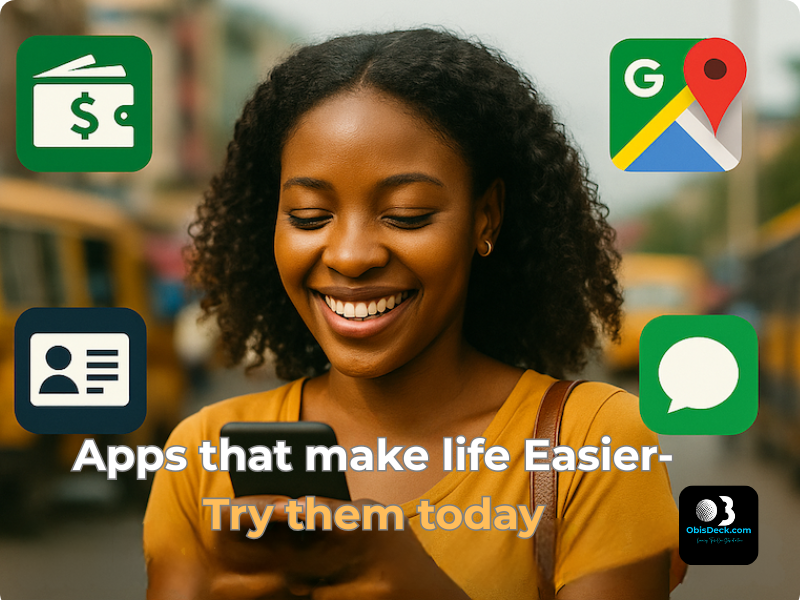
4 Must-Have Apps for Everyday Nigerians (That Make Life Easier Instantly)

Tagline: Learning Tech — One Step at a Time

🧠 Tech Isn’t Just for Techies

Everybody’s talking “tech this, tech that” — but what if you just want something that works?

You’re not trying to become the next Mark Zuckerberg. You just want to:

  • Pay bills quickly
  • Know when NEPA will bring light
  • Get your NIN without fighting queues

These things can now be done in minutes — if you know the right tools.
The best part? You don’t need political connections to enjoy them.

👤 I’ve used these myself. That’s why I’m asking you to try them too.


🔐 1. NIMC Mobile ID – Access Your National ID Instantly

Still looking for where to print your NIN slip? This app gives you a digital version — for free.

Why it matters:

Generate Virtual NIN for banks or employers

View your photo and NIN

Share your ID via scannable QR

How to Use:

  1. Download “MWS: NIMC Mobile ID” (Google Play / App Store)
  2. Enter your 11-digit NIN
  3. Verify your phone number via OTP

👤 This app saved hours of stress for friends I introduced it to. It can do the same for you.


💸 2. Opay – The Mobile Bank That Actually Works

What you can do:

  • Send/receive money (even when banks fail)
  • Buy airtime, data — often with discounts
  • Pay NEPA, cable bills, scratch cards
  • Use a virtual card for online shopping

To Get Started:

  1. Download Opay
  2. Register with your phone number
  3. Fund your wallet or link your bank

👤 I was skeptical at first — no clear address, no real office… But like we say, “trial convinced me.”
When banks fail, Opay stands “
gidigba”.


🗺️ 3. Google Maps – Not Just for Big Cities

Google Maps does more than guide you through Lagos or Abuja. It can:

  • Find clear roads and avoid traffic
  • Locate ATMs, petrol stations, or clinics
  • Download offline maps for remote areas

How to Use:

  • Open the Google Maps app
  • Search your area
  • Tap menu > “Offline Maps”
  • Download and save

👤 I almost missed a wedding in Ohozara, Abia State — Google Maps came to my rescue. It works anywhere.


🤖 4. ChatGPT – Your Free Tech Tutor, Writer & Idea Machine

ChatGPT is more than just a chatbot — it’s your AI-powered personal assistant.

What it can help you do:

  • Write CVs, proposals, or blog drafts
  • Translate into Pidgin, Hausa, or Igbo
  • Learn new skills — Canva, HTML, budgeting
  • Ask anything from “What is forex?” to “How to earn online in Nigeria?”

How to Use:

  1. Visit chat.openai.com or download the app
  2. Create a free account
  3. Start chatting

👤 From blog posts to color palette suggestions, ChatGPT helps me every day. It’s your free tech tutor.


🧩 Final Thoughts – Start Small, Keep Going

These 4 apps may seem small, but they can change your daily experience in big ways.

👉 Start with just one. Try it.
That’s the ObisDeck waylearning tech, one step at a time.


💬 Let’s Chat

Which app are you trying first? Already using one? Share your experience in the comments or drop a word.


📎 Coming Soon on ObisDeck

  • How to Use ChatGPT in Pidgin
  • Apps That Can Help You Earn Side Income in Nigeria
  • Step-by-Step: How to Create a Virtual Card on Opay

My Early Steps into Trading: Learning, Testing, and Building Confidence

Catching the fever:

Trading has always seemed like something only professionals do — the type of thing you see in movies with lots of flashing screens and complex charts. But when I decided to explore the world of trading for myself, I quickly realised: you don’t have to be a professional to start — you just have to be willing to learn, step by step.

A recent conversation with a childhood friend, Moses, gave me new ideas. Later, I spoke again with another very good childhood friend of mine, (Mr Pee) Pius Anokwu, who has been involved in trading for some time. Whenever time permits, we talk — among other things — about trading. There were also a few colleagues at work who engaged in meaningful conversations about trading and were always willing to explain a few concepts when I asked.

Other happenings — my tech journey, random Facebook and Instagram ads — kept nudging me toward it. And the idea that I could enhance my IT learning by building an automated trading dashboard really set me on the path.

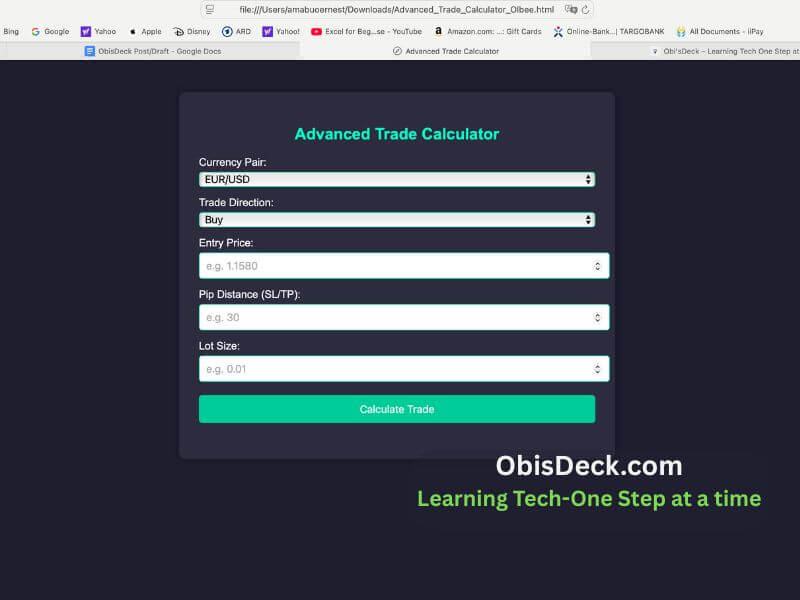
So, over the past few weeks, I’ve been diving into trading using MetaTrader 5 and setting up a proper trading journal. I also began building simple tools — like a pip calculator — and practicing with a demo account through Admiral Markets.


Why I Decided to Learn Trading

Information about trading has always been around me. I’m not talking about the get-rich-quick ads on Facebook or Instagram that push you toward buying strategies or courses. I’m talking about real trading insights: strategies, deeper understanding, the risks and the potential gains.

Conversations with a few people, as I mentioned, helped set me on this path. But the final spark was the possibility of taking structured steps and learning by building pip calculators, trading journals, and tools — all leaning toward automation, which is part of my broader IT learning journey.

This is also part of my pursuit of new ways to generate income. I wanted something that:
✅ Is flexible (I can trade even with a full-time job)
✅ Can be scaled over time
✅ Gives me full control — no one manages my money but me

Trading matched these goals — but I knew it also came with risks. That’s why I committed to learning first, not rushing.


Lessons From My First Trading Weeks

A Trading Journal Is Essential

Keeping records of each trade (what I saw, why I entered, what happened) helps me learn much faster than just guessing or jumping in blind.

I used to think trading involved everything but skill. Now I know that “luck is the intersection between preparation and opportunity.” You must learn the “waltz and foxtrot” of it all. Commit to a deeper learning of the process and extricate yourself from emotions that come with it while focusing on technical and fundamentals of the entire exercise.

Understanding Risk-Reward

Using a clear R:R (Risk-to-Reward) ratio for every trade helps me protect my account and avoid emotional trading.


Building Tools Helps Learning

Creating my own pip calculator in JavaScript has taught me more about pip size, SL/TP, and pair differences than any YouTube video could.

While I don’t underestimate the importance of good YouTube videos on trading, one should be able to localize what is learned — by taking from them and building tools that work for you.


What I’m Working On Next

✅ Testing small demo trades using my tools
✅ Learning more about using technical indicators (RSI, Moving Averages)
✅ Improving my Google Sheet trading dashboard
✅ Exploring automation possibilities (APIs, Zapier)
✅ Continuing to journal every step — wins and mistakes


Final Thoughts: Trading Is a Journey, Not a Race

If you’re new to trading like me, here’s my advice:

Don’t try to “beat the market” overnight.
Start with learning, take notes, build your tools, and track your progress.

This is exactly what I’m doing — and I will continue to share both my wins and mistakes as I go.

Stay tuned for more — and if you’re on a similar learning path, let’s connect!

HTML Basics: The First Building Block of the Web

What I’ve Learned So Far About the Web’s Foundation

I will never forget how my love for literature opened the doors to the world of tech. From Shakespeare to Chimamanda Ngozi Adichie (my second daughter’s namesake), I was always drawn to how words shape meaning. Back then, everything I read followed the same form — paragraphs, punctuation, printed language.

But today, the internet has become the new library, the global stage, the printing press of our age. It holds books, news, images, videos, and even live broadcasts — all formatted and structured not just by language, but by code.At first, I thought writing online followed the same rules as traditional writing. I was wrong. The internet has its own structure, and its name is HTML — a powerful, silent language that gives order and shape to the web.

What Is HTML, Really?

HTML stands for HyperText Markup Language.It’s the skeleton of every website you see — organizing content, defining where things appear, and making sure the browser knows how to display them. HTML does not  make websites look beautiful (that’s CSS), or make them respond to actions (that’s JavaScript), but without it, there would be no structure at all.

My First Few Tags

I started with just a few basic tags:

<html>, <head>, <body>, <p>, <h1>

At first, they looked strange. But once I practiced wrapping my words inside them, I began to see the pattern. <h1> gave me headlines. <p> wrapped my thoughts into neat paragraphs. <body> told the browser, “Here’s the main content.” Suddenly, I wasn’t just writing — I was building.

Mistakes I Made as a Beginner

Like any beginner, I stumbled:

To have order, there must be rules.

  • I forgot to close tags (</p>, </body>) and watched my whole page collapse
  • I confused class and id between HTML and CSS
  • I sometimes put CSS rules directly inside HTML, not knowing how to link stylesheets

But each mistake taught me something.

What’s Next?

Now that I understand the basics, I am excited to:

  • Combine HTML with CSS for layout and design
  • Create simple templates I can reuse
  • Practice building pages from scratch using VS Code

Final Thoughts

If you are new to coding, look here but here’s my advice:

Start small. Test often. Don’t be afraid to break things.

With every tag you write, you will understand more about how the web works — and the satisfaction that comes from seeing your ideas take shape is unlike anything else.

Feel free to share your first steps in coding, or drop any questions below. Let’s learn together — one tag at a time.

Exploring WordPress: A Beginner’s Companion in Web Creation

From Words to Websites

The life of words and the desire to give shape to my story inspired my search for a platform to share whatever message I could offer. That moment came with an announcement at my local church—an opportunity to learn Amazon Kindle publishing. It promised a way to express ideas through storytelling and self-publishing.

How I moved from Curiosity to confidence...

There were moments of frustration….

..But with every challenge came a small breakthrough”

-One Step at a time

I enrolled, but soon, family life, work pressure, and excuses crept in. I paused that journey, not knowing that years later, I would find myself back on the path—this time through WordPress.


Why WordPress? A Surprising Discovery

When I started exploring tech again, I kept hearing about WordPress. Some called it outdated. Others called it a game-changer. I decided to see for myself—and discovered something more powerful and beginner-friendly than I ever imagined.

Maybe it was the free one-year plan that drew me in, or the simplicity of drag-and-drop blocks. But more than that, it was the realization that I didn’t need to code to build something beautiful. I could test different themes, experiment freely, and bring my thoughts to life on the web—without spending a cent.

Publishing my first story on WordPress felt magical. I wasn’t just consuming the internet anymore. I was creating for it.


3. From Curiosity to Confidence: My Early Learning

At first, I was overwhelmed. I knew almost nothing. I didn’t even know what the “blocks” meant. I remember staring at the screen, unsure of what to click.

Gradually, things started making sense. I learned that every website starts with a theme—a kind of template that determines how your site looks. From there, I explored headers, footers, navigation menus, and the difference between a post and a page. Each block had a purpose, and slowly I learned to identify them and put them to use.


4. Challenges and Breakthroughs

There were moments of frustration—especially when I struggled with themes like Kadence, Barnsbury, and Twenty Twenty-Four. The Seedlet theme gave me headaches when I tried to configure social media icons.

But with every challenge came a small breakthrough. The built-in tutorials, community forums, and video guides helped me move forward.

And then I discovered ChatGPT.

It became my silent teacher—helping me match fonts, pick color palettes, understand block functions, and even add HTML or CSS tweaks. I wasn’t alone anymore. WordPress gave me a platform, and ChatGPT gave me the support I needed to shape it.


5. Why I Recommend WordPress for Beginners

WordPress powers over 62% of all websites that use a content management system (CMS), according to W3Techs. That says a lot.

Here’s why I recommend it:

  • Beginner-friendly interface
  • No coding required, but code-friendly if you want to learn
  • Huge library of themes and plugins
  • Massive global community
  • Total ownership of your content

Whether you’re building a blog, portfolio, or online shop, WordPress offers the flexibility to grow with you.


6. A Personal Invitation (Call to Action)

Everyone has a story. I know you have one too.

You don’t need to be a tech guru to share it. There’s someone out there who might learn from your experience, but they’ll never know unless you begin.

That’s what WordPress gave me—the courage to start, one small step at a time. You can do it too. Just start with one page. Or one sentence. You’ll be amazed at how far that one click can take you.

Tell me—what are you exploring right now? Your suggestion might inspire my next post, just like an email I received recently led me to write about my journey in HTML and CSS. That’s coming soon on ObisDeck.


7. Closing Reflection: Is WordPress Still Relevant in 2025?

A friend recently told me WordPress was no longer relevant. I smiled but felt sad. Because for me, it was WordPress that gave me my first real step into tech. It didn’t just offer a website—it offered confidence.

The real choice isn’t between Wix, Blogger, Shopify, or Hostinger. The real choice is: Will you start at all?

If you’re a beginner with a story to tell or a dream to build, WordPress is not only relevant—it’s essential. And yes, in 2025, it’s still my number one recommendation.

Learning Tech: Age Is Never a Barrier — What I’ve Discovered About Growth and Change

Introduction

If someone had told me years ago that I’d be editing websites and learning bits of code in my 50s, I would have smiled politely and changed the subject. Technology, to me, was always something other people mastered — the young, the mathematically gifted, the naturally curious. But here I am, navigating my way through HTML, CSS, and digital tools I once thought were far beyond my reach.

And I’m not just surviving it — I’m growing through it.


a middle aged man sitting on a desk with a computer
Age is never a barrier
sitting on a table articulating ideas-a way to start

The Challenge

When I first stepped into this world of tech, I will be lying if I say that I was not overwhelmed. The language was unfamiliar, the tools were many, and the learning curve felt steep. There were moments I stared at the screen, unsure where to click next. I worried I was too old, too slow, or too late to catch up.

Worse still, old fears resurfaced. The same fear that once made me avoid learning table tennis as a child — the fear of making mistakes and being laughed at — showed up again. Only this time, it came dressed in digital clothing.


The Turning Point

What changed?

It wasn’t a sudden burst of courage or brilliance. It was a quiet decision: I would no longer let fear be my guide.
I had a message to share, a voice to express, and technology had become the path to make that happen. I didn’t need to become a programmer. I just needed to be willing to learn — one step at a time.

And once I gave myself permission to be a beginner, something incredible happened: I started enjoying it. The tools that once scared me began to make sense. With each small win — adding a line of code, publishing a blog post, resizing an image — I felt more alive.


What I’ve Learned

This journey has taught me far more than just a few technical skills. It’s taught me about patience, humility, and the beauty of lifelong learning. I’ve learned that age doesn’t disqualify you from growth — it equips you with the maturity to appreciate it.

Learning tech didn’t just stretch my mind — it expanded my confidence. I began to see that my story, told through a digital lens, could reach people I may never meet in person. That’s a powerful thing.

A Personal Realization: Learning Has No Age Limit

I agree that learning follows some general principles. I’m not here to reinvent those or push new boundaries. But I am entitled to tell my own story—and that, I will do, in the only way I can.

Yes, learning has structure, but it is also a journey. And like any journey, it is shaped by the one walking the path. No two experiences are exactly the same.

I have never enjoyed learning more than I do now. Perhaps it’s a function of age. My experience isn’t fundamentally different—but there are things you only fully understand when you’ve lived a while. This, for me, is one of them.
Now feels like the perfect time to learn. The exuberance of youth has given way to something clearer. My mind feels focused. Tasks I once found scattered now appear like vivid pictures—drawing from things I’ve seen, read, lived, and learned over the years. It all comes together in ways that feel whole and fulfilling. Learning is no longer a struggle. It’s a joy. A privilege.

Just yesterday, during a session with ChatGPT about coding basics, fragments of my learning journey came alive—triggered by its clear prompts and structured guidance. A few years ago, this wouldn’t have resonated the same way.

This kind of experience is unique. Personal.

So, why not try something new today?

Olbee- Learning Tech-one step at a time


You might just uncover your self-worth—or awaken a hidden talent you didn’t know you had.
There’s a learning path out there that only you can walk.


Encouragement to Others

If you have ever felt like it’s too late to learn something new, especially something like technology, let me be honest with you: it’s not too late.

You don’t have to master everything. You just have to start.

You might stumble, yes. But every stumble is a sign that you are moving — and every movement is important because it counts.


Call to Action

What new skill would you explore if fear wasn’t holding you back? Could you share that with us?

Maybe today is the day to take the first small step.
And if this post reminded you of someone who needs a gentle nudge, send it their way. Growth isn’t a race — it’s a decision. One you can still make, right now.

Learning ChatGPT – How I Asked Questions Without Feeling Silly

Introduction

I first heard about ChatGPT from a contributor on a well-known American TV station — and that’s when I realised it was more than a passing trend. Before that, I assumed it was just another flashy tech buzzword — something meant for coders or young people fluent in digital slang.

Someone even joked that ChatGPT was just a room full of brilliant people in New Delhi, manually answering questions through a chatbot. They doubted its so-called “large language model” and believed it was all a fluke.

At the time, I couldn’t see how a tool like that could fit into my world. I was still struggling to understand how to animate text in PowerPoint or use Excel’s formulas — and here was this new thing called “AI.”

But curiosity has a way of nudging you forward. What if this tool could help me learn faster, ask questions without fear, and make my late start in tech feel a little less overwhelming?

First Impressions


When I opened ChatGPT for the first time, I was surprised by how simple it looked. No fancy ribbons like in Microsoft Excel, no stylish home tabs like PowerPoint — just a blinking cursor waiting for me to speak. I still remember my question:

How do I train as a Microsoft Administrator?

A random thought, that I found out later, unconsciously captured the direction I would be heading. To my surprise, it answered — clearly, calmly, and without a hint of jargon or judgment. It felt… human. I kept going, asking even more questions. And with each response, my hesitation gave way to confidence.

What struck me was this: I didn’t have to sound like a tech expert. I could type in half-formed thoughts, and ChatGPT would still give me something useful. It became my quiet assistant — always patient, never tired.

Has Chatbots not been around for sometime now?

a phone displaying an introduction to ChatGPT on its screen

“Chatbots have been around for a while. Remember the little assistant on Luafthanzer’s website that helped with booking issues? Or Apple’s Siri, always ready to answer your questions?

But in 2018, something game-changing happened. A California-based tech company, OpenAI, introduced ChatGPT—a chatbot trained on a massive Large Language Model (LLM). Unlike older chatbots, it could rival human-like intelligence.Back then, I had no idea this even existed. But as I started my tech journey, I discovered how ChatGPT evolved—from just text to generating images, graphics, and more. Now, competitors like DeepSeek, Google Gemini, and others are reshaping the AI landscape even further


What I Can Do with It Now

  • Ask it to explain terms like “API”(Application Programming Interface) or “cloud storage” in plain English
  • Draft rough versions of blog posts 
  • Get unstuck when I need content ideas
  • Ask for step-by-step guidance on basic tools like Google Docs
  • Even get advice on design choices — like fonts to use on ObisDeck
  • Recently, it helped me successfully request a refund on a misleading purchase — step by step!

Tips for Beginners Like Me

  • You don’t need to be a “prompt engineer.” Just start typing.
  • Be clear and simple. For example:
    “How do I create a folder in Google Drive?”
    is better than
    “Google Drive tips.”
  • Ask everyday questions like:
    • “What image sizes work best for Facebook, Instagram, and LinkedIn?”
    • “How do I get started in Canva?”
    • “My internet is connected but not browsing — what should I check?”
  • If the answer feels too complex, just ask:
    “Can you explain that in simpler terms?”

How I Plan to Use It

ChatGPT has become part of my daily routine. I use it to:

  • Draft outlines for future blog posts
  • Generate image prompts for Canva and Midjourney
  • Clarify concepts before teaching them to others
  • Schedule or brainstorm blog content
  • Stay motivated in this lifelong learning journey

Closing Thoughts

Learning ChatGPT didn’t require programming skills — just curiosity and a willingness to try. It’s helped me feel less alone in this digital world, and more capable, one question at a time.

If you’re new to AI tools or even just tech-curious, try asking ChatGPT that question you’ve always been afraid to ask out loud.

You might be surprised how helpful it is.

Have you tried ChatGPT yet? What was your first question?

What Tech tool have you tried?, Please, share your experience with us today in the comment section below. We would like to learn from you too.