Learning to Think Like a Programmer

A Programmer?

The title itself made me laugh aloud.

For a long time, I could hardly bring myself to use the word programmer. It felt like a title reserved for people who had studied computer science, spent years writing software, or had been “tech people” all their lives.

Yet here I am.

Ironically, I never started this journey because I wanted to become a programmer. My curiosity began much earlier– with a simple desire to understand why text appears the way it does on a webpage. My love for literature, writing, and communication quietly led me into technology, and before I knew it, I had wandered into a world I once considered impossible to understand.

If someone had told me a few years ago that I would be writing Python code, debugging programs, or discussing dictionaries, sets, strings, and lists with genuine excitement, I would probably have laughed.

The Doubt
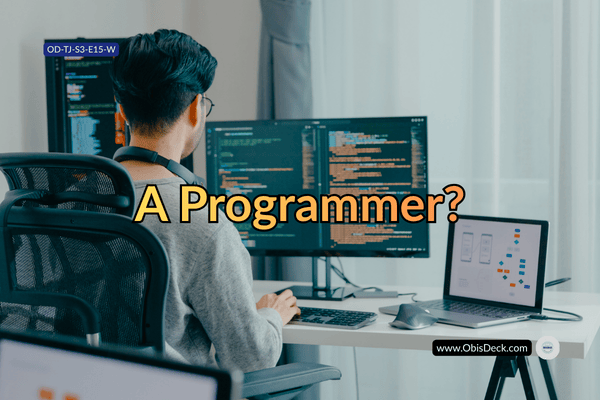
An image of a programmer sitting at a workspace with a seemingly unsure fingers unsure of being described as a programmer or a system builder

In fact, when I first shared my decision to learn programming, one of my childhood friends advised me to “examine myself” to be sure I wasn’t going crazy for attempting something like this at my age. I never took it as an insult. It came from a place of care. To him, programming belonged to younger people.

Perhaps, at the time, I believed that too.

But every passing day has quietly challenged that belief.

The Desire to Soldier on

Each lesson has become proof that the mind can keep expanding. Every concept I understand today is another small piece of evidence that growth compounds. I can now write simple programs, debug errors, explain ideas that once sounded like another language, and, more importantly, enjoy the process of learning.

Those may seem like small victories to an experienced developer.

To me, they are landmarks.

A New way of Thinking

The biggest surprise, however, has not been learning Python.

It has been discovering how Python has changed the way I think.

I no longer see problems as isolated events. Increasingly, I see them as systems made up of connected parts, each influencing the other. Files, folders, websites, spreadsheets, and even everyday tasks have started to look less like unrelated objects and more like information flowing through a process.

That has been one of the greatest gifts of this journey.

Programming, I have come to realise, is not merely about writing code.

It is about making decisions.

Every line of code is a decision based on the information available, the outcome you expect, and the relationship between one step and the next. Once I began to see programming this way, many things that had once felt confusing started making sense.

Practical Evidence

More surprisingly, this way of thinking has begun to influence areas of life far beyond Python.

It has made me more patient.

More observant.

More methodical.

It has trained me to concentrate for longer periods and to appreciate that meaningful results often emerge from many small, consistent improvements rather than dramatic breakthroughs.

Looking back, I no longer feel the need for permission or validation.

The results speak for themselves.

This season documents that transformation. But take aways from important parts of last season will continue showing up once in a while.

From where I am now, I see that it is no longer just about learning Python.

It is about learning to think differently.

And if there is one lesson I hope these pages communicate, it is this:

If the human mind can learn to see problems as systems, it can learn almost anything.

Welcome to Season Two.

This is where coding stopped being syntax and started becoming a way of thinking.

Tech Journey — Season 2, Episode 15.
How I Debug as a Beginner -Without Feeling Lost


A crucial part of programming is debugging. As a beginner, this will test your patience. Imagine running a piece of code, and instead of the code returning what you had hoped for, Python returns error messages- a couple of red syntaxes asking you to go back and crosscheck your code.

This can be overwhelming for a beginner.

There was a time when my code broke—and I had no idea what to do next.

No direction.
No system.
Just confusion.

It makes you feel unsure of steps to take, afraid that you might break a thing, intermittent confusion, lack of confidence and more are part of my initial encounters with debugging.


The Old Way

When something didn’t work, I would:

  • change random lines
  • delete things
  • try again

Sometimes it worked.

But I didn’t know why. I would mark what I did with a view to replicating it next time. Since I didn’t know why it broke, it ended up not working in another problem, while the problems may look similar, minor difference may account for the failure in a new situation even if the code generally looks similar.That dot or underscore might be the reason this time.


The Turning Point

I realized debugging is not guessing. Debugging should not feel intimidating. It is how problems are resolved in Python. Both professionals and beginners, alike encounter it. Experienced programmers are accustomed to it. But for a beginner, it usually appears intimidating at first.

It is a process- one that requires extra care and attention.


My Beginner Debugging Approach

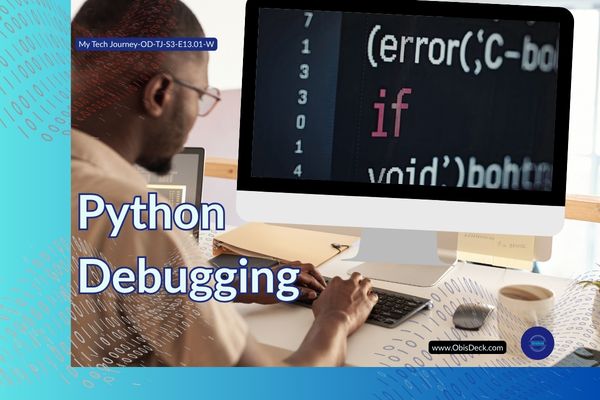
An image showing someone on a workspace typing on keyboard with an error texts on the screen depicting occurrence of Python error message and attention to resolve it.

Now, I follow simple steps:

  1. Read the error message
  2. Locate the line
  3. Check what I expected vs what happened
  4. Test small changes

Using Print as a Tool

One of the most powerful things I learned: is using.

print() is not just for output

It helps you:

  • track values
  • see flow
  • understand behavior
  • check object type

This function became a very strategic debugging tool for me. The print() lets you know the object you have at hand. Because each object has its methods and attributes knowing this enables you to determine which attribute or action that you would like it to perform. Many code breaks because of this mix up.

Breaking the Problem Down

Instead of fixing everything at once:

I focus on one small part and gradually move to the rest until I can identify the problem.


What I Learned From This Stage

  • Debugging is a skill
  • Small steps beat random fixes
  • Understanding grows through fixing
  • That ” Patience is a conquering virtue” will be tested more often here. You need it to read carefully in between the lines

Where This Leads Next

Once you can debug…

You begin to feel something new:

Control

Confidence

And that is part of what you need. That Control, that confidence engenders small wins that compound with time.


Tech Journey — Season 1, Episode 13

Stage: Logic, Errors & the Terminal

What the Terminal Actually Does -A Beginner’s Perspective

For an average computer user, the digital screen is all they need. Users navigate their way through the digital screen- finding icons of their choices and clicking open anyone they intended to use to get their desired results.

But the Terminal can do the same thing the digital screen does. It can even do more. However, it is different. Almost invisible to the average computer user. When I first saw the Terminal, I didn’t understand it. I didn’t know it even existed in the way I discovered later. I thought it was something meant to be used by Microsoft Administrators for installation of softwares on a computer. Something that if you strayed into the area you are likely going to break something and spoil your computer. So I dreaded it. Avoiding it like a plague. Now my increased interests in Information technology forced my hands in a way that when I got more information I ventured.

A black screen.
A blinking cursor.
Commands I didn’t recognise.

It felt intimidating.

As I had thought, it felt like something meant for “real programmers.”

The First Misconception

An image of a workspace showing a dark screened monitor depicting the visual appearance of a computer Terminal

I thought the terminal was:

complicated
advanced
not for beginners

So I avoided it.

What Changed My Perspective

At some point, I had no choice but to use it. My study had presented it as an entry point into coding. Its use became inevitable. It meant a quick access to files on my PC, almost in their raw state. I discovered that it possessed more power that I even gave it credit for- one that gave incredible access to bulk changes on files, ranging from renaming, transfer, location etc. Of course, I am going to be dealing with files a lot and there is no other way of getting ahead without understanding the terminal. It makes understanding the files system a lot more easier and in addition to :

Running Python scripts.
Navigating folders.

But like every system, the Terminal has its own language- a medium of communication that you must know, especially the basic ones, to be able to interact with it. In fact, learning just a few of them prepared me in no small measure for what lay ahead. Those same syntax structures of the Terminal language, gave me a foot into the very first entry into Python. Though different in a lot of ways, it provided major insights into how programming languages are formulated and what I should expect going forward. And slowly, something became clear:

The terminal is not complex.

It is just:

a way to talk to your computer

What It Actually Does

When you type a command, you are simply saying:

  • Go here
  • Show me this
  • Run this file

That’s all.

From Fear to Familiarity

The more I used it, the less intimidating it became.

Commands started making sense.

  • cd → change directory
  • ls → list files
  • python file.py → run code

Why It Matters

The terminal teaches something important:

control

You are no longer clicking randomly.

You are telling the system exactly what to do.

What I Learned From This Stage

  • The terminal is not advanced—it is fundamental. Experiences might be different from what it mean for one beginner to another but for me it enhanced my understanding of file path and made learning file handling in Python a lot more easier than should have been.
  • Commands are just instructions- Incidentally the commands mere seem complicated at first, but it is not and that you will discover from continuous use. Rather, it gives you much more control than the digital screen would have given.
  • Confidence comes from use, not theory. As I mentioned previously, consistency beats intensity always. It is not different with Terminal. You build confidence and get more relaxed with it as you practice. While theory, may well introduce you to it, practice is essential not only for being more confident with Terminal but also learning Python.

Where This Leads Next

Understanding tools is one thing. It is just a step.

Using them to solve problems is another. It is a direct connection to the imperative of understanding the tool. And to make that connection from understanding tool to using it to solving problems is a bridge that usually appears and must be crossed when it does. That bridge is Debugging.

That is the next step is- Debugging with intention

Tech Journey — Season 1, Episode 12 (OD-TJ-S2-E12-B)

Stage: Logic, Errors & the Terminal

Why JavaScript Felt Like a Brick Wall

After getting more or less comfortable with HTML and CSS, JavaScript felt like the natural next step.

That was the narrative everywhere or so I thought:
structure first, styling next, logic after.

So I stepped into JavaScript expecting momentum. I assumed the confidence I had built would carry me forward. It felt like a good time to go a step forward.

Instead, I hit a wall.


Things stopped behaving predictably. Many things seemed to change. I needed to recalibrate. With HTML and CSS, my practice lived almost entirely inside VS Code. JavaScript broke that comfort. Suddenly, I had to explore the wider world of the browser—its console, its layers, and how every small change ripples through a page.

A small mistake could cause a big problem.
A missing character could break everything.
And the feedback I received — error messages — felt less helpful and more overwhelming.

With HTML and CSS, I could usually see what was wrong.
With JavaScript, things failed quietly or loudly, but rarely clearly.

The page didn’t just look wrong.
It stopped working altogether.


At first, I thought the problem was JavaScript.

It felt unforgiving.
Too abstract.
Too sensitive.

But looking back now, I can see that the real issue wasn’t the language.

It was my expectation.


I assumed that because I have become conversant with structure and styling, logic would come easily.

I thought progression was linear:
HTML → CSS → JavaScript.

I was wrong. JavaScript didn’t build on confidence the same way CSS did.

It demanded something different.


JavaScript exposed gaps I hadn’t realized were there.

It forced me to confront:

  • how logic actually flows,
  • how conditions affect outcomes,
  • how code thinks step by step,
  • how decisions are made before results appear.

This wasn’t about syntax alone.
It was about thinking in sequence, not just arrangement.

And that kind of thinking hadn’t been fully formed yet.


What made this phase difficult wasn’t failure.

It was uncertainty.

I could no longer rely on visual feedback alone. I had to trust invisible processes. I had to understand what was happening before something appeared — or didn’t.

That shift was uncomfortable.


But it was also revealing.

JavaScript didn’t block me because I wasn’t capable.
It slowed me down because I needed a different foundation.

What felt like resistance was actually information.

Feedback.


That moment forced me to pause.

Not to quit — but to rethink how I was learning.

I began to question the assumption that there was only one correct order. I started to wonder whether understanding logic required a different entry point.

JavaScript didn’t fail me.

It showed me what I was missing.

And that realization changed the direction of the journey that followed.


This post is part of my ongoing learning archive.
My Tech Learning Journey — One Step at a Time

4 Must-Have Apps for Everyday Nigerians (That Make Life Easier Instantly)

Tagline: Learning Tech — One Step at a Time


🧠 Tech Isn’t Just for Techies

Everybody’s talking “tech this, tech that” — but what if you just want something that works?

You’re not trying to become the next Mark Zuckerberg. You just want to:

  • Pay bills quickly
  • Know when NEPA will bring light
  • Get your NIN without fighting queues

These things can now be done in minutes — if you know the right tools.
The best part? You don’t need political connections to enjoy them.

👤 I’ve used these myself. That’s why I’m asking you to try them too.


🔐 1. NIMC Mobile ID – Access Your National ID Instantly

Still looking for where to print your NIN slip? This app gives you a digital version — for free.

Why it matters:

Generate Virtual NIN for banks or employers

View your photo and NIN

Share your ID via scannable QR

How to Use:

  1. Download “MWS: NIMC Mobile ID” (Google Play / App Store)
  2. Enter your 11-digit NIN
  3. Verify your phone number via OTP

👤 This app saved hours of stress for friends I introduced it to. It can do the same for you.


💸 2. Opay – The Mobile Bank That Actually Works

What you can do:

  • Send/receive money (even when banks fail)
  • Buy airtime, data — often with discounts
  • Pay NEPA, cable bills, scratch cards
  • Use a virtual card for online shopping

To Get Started:

  1. Download Opay
  2. Register with your phone number
  3. Fund your wallet or link your bank

👤 I was skeptical at first — no clear address, no real office… But like we say, “trial convinced me.”
When banks fail, Opay stands “
gidigba”.


🗺️ 3. Google Maps – Not Just for Big Cities

Google Maps does more than guide you through Lagos or Abuja. It can:

  • Find clear roads and avoid traffic
  • Locate ATMs, petrol stations, or clinics
  • Download offline maps for remote areas

How to Use:

  • Open the Google Maps app
  • Search your area
  • Tap menu > “Offline Maps”
  • Download and save

👤 I almost missed a wedding in Ohozara, Abia State — Google Maps came to my rescue. It works anywhere.


🤖 4. ChatGPT – Your Free Tech Tutor, Writer & Idea Machine

ChatGPT is more than just a chatbot — it’s your AI-powered personal assistant.

What it can help you do:

  • Write CVs, proposals, or blog drafts
  • Translate into Pidgin, Hausa, or Igbo
  • Learn new skills — Canva, HTML, budgeting
  • Ask anything from “What is forex?” to “How to earn online in Nigeria?”

How to Use:

  1. Visit chat.openai.com or download the app
  2. Create a free account
  3. Start chatting

👤 From blog posts to color palette suggestions, ChatGPT helps me every day. It’s your free tech tutor.


🧩 Final Thoughts – Start Small, Keep Going

These 4 apps may seem small, but they can change your daily experience in big ways.

👉 Start with just one. Try it.
That’s the ObisDeck waylearning tech, one step at a time.


💬 Let’s Chat

Which app are you trying first? Already using one? Share your experience in the comments or drop a word.


📎 Coming Soon on ObisDeck

  • How to Use ChatGPT in Pidgin
  • Apps That Can Help You Earn Side Income in Nigeria
  • Step-by-Step: How to Create a Virtual Card on Opay

Learning ChatGPT – How I Asked Questions Without Feeling Silly

Introduction

I first heard about ChatGPT from a contributor on a well-known American TV station — and that’s when I realised it was more than a passing trend. Before that, I assumed it was just another flashy tech buzzword — something meant for coders or young people fluent in digital slang.

Someone even joked that ChatGPT was just a room full of brilliant people in New Delhi, manually answering questions through a chatbot. They doubted its so-called “large language model” and believed it was all a fluke.

At the time, I couldn’t see how a tool like that could fit into my world. I was still struggling to understand how to animate text in PowerPoint or use Excel’s formulas — and here was this new thing called “AI.”

But curiosity has a way of nudging you forward. What if this tool could help me learn faster, ask questions without fear, and make my late start in tech feel a little less overwhelming?

First Impressions


When I opened ChatGPT for the first time, I was surprised by how simple it looked. No fancy ribbons like in Microsoft Excel, no stylish home tabs like PowerPoint — just a blinking cursor waiting for me to speak. I still remember my question:

How do I train as a Microsoft Administrator?

A random thought, that I found out later, unconsciously captured the direction I would be heading. To my surprise, it answered — clearly, calmly, and without a hint of jargon or judgment. It felt… human. I kept going, asking even more questions. And with each response, my hesitation gave way to confidence.

What struck me was this: I didn’t have to sound like a tech expert. I could type in half-formed thoughts, and ChatGPT would still give me something useful. It became my quiet assistant — always patient, never tired.

Has Chatbots not been around for sometime now?

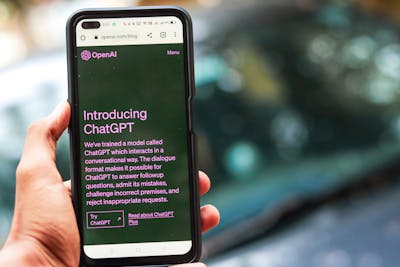
a phone displaying an introduction to ChatGPT on its screen

“Chatbots have been around for a while. Remember the little assistant on Luafthanzer’s website that helped with booking issues? Or Apple’s Siri, always ready to answer your questions?

But in 2018, something game-changing happened. A California-based tech company, OpenAI, introduced ChatGPT—a chatbot trained on a massive Large Language Model (LLM). Unlike older chatbots, it could rival human-like intelligence.Back then, I had no idea this even existed. But as I started my tech journey, I discovered how ChatGPT evolved—from just text to generating images, graphics, and more. Now, competitors like DeepSeek, Google Gemini, and others are reshaping the AI landscape even further


What I Can Do with It Now

  • Ask it to explain terms like “API”(Application Programming Interface) or “cloud storage” in plain English
  • Draft rough versions of blog posts 
  • Get unstuck when I need content ideas
  • Ask for step-by-step guidance on basic tools like Google Docs
  • Even get advice on design choices — like fonts to use on ObisDeck
  • Recently, it helped me successfully request a refund on a misleading purchase — step by step!

Tips for Beginners Like Me

  • You don’t need to be a “prompt engineer.” Just start typing.
  • Be clear and simple. For example:
    “How do I create a folder in Google Drive?”
    is better than
    “Google Drive tips.”
  • Ask everyday questions like:
    • “What image sizes work best for Facebook, Instagram, and LinkedIn?”
    • “How do I get started in Canva?”
    • “My internet is connected but not browsing — what should I check?”
  • If the answer feels too complex, just ask:
    “Can you explain that in simpler terms?”

How I Plan to Use It

ChatGPT has become part of my daily routine. I use it to:

  • Draft outlines for future blog posts
  • Generate image prompts for Canva and Midjourney
  • Clarify concepts before teaching them to others
  • Schedule or brainstorm blog content
  • Stay motivated in this lifelong learning journey

Closing Thoughts

Learning ChatGPT didn’t require programming skills — just curiosity and a willingness to try. It’s helped me feel less alone in this digital world, and more capable, one question at a time.

If you’re new to AI tools or even just tech-curious, try asking ChatGPT that question you’ve always been afraid to ask out loud.

You might be surprised how helpful it is.

Have you tried ChatGPT yet? What was your first question?

What Tech tool have you tried?, Please, share your experience with us today in the comment section below. We would like to learn from you too.