What the Terminal Actually Does -A Beginner’s Perspective

For an average computer user, the digital screen is all they need. Users navigate their way through the digital screen- finding icons of their choices and clicking open anyone they intended to use to get their desired results.

But the Terminal can do the same thing the digital screen does. It can even do more. However, it is different. Almost invisible to the average computer user. When I first saw the Terminal, I didn’t understand it. I didn’t know it even existed in the way I discovered later. I thought it was something meant to be used by Microsoft Administrators for installation of softwares on a computer. Something that if you strayed into the area you are likely going to break something and spoil your computer. So I dreaded it. Avoiding it like a plague. Now my increased interests in Information technology forced my hands in a way that when I got more information I ventured.

A black screen.
A blinking cursor.
Commands I didn’t recognise.

It felt intimidating.

As I had thought, it felt like something meant for “real programmers.”

The First Misconception
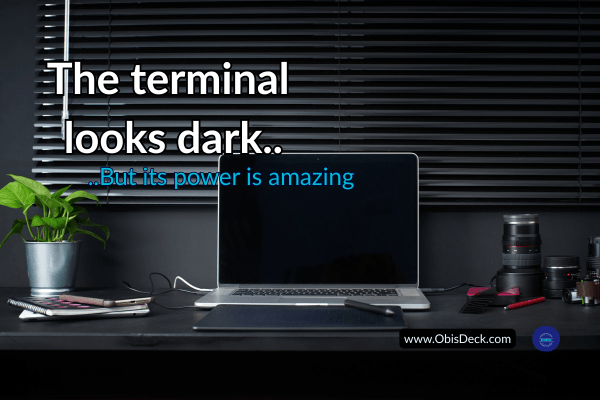
An image of a workspace showing a dark screened monitor depicting the visual appearance of a computer Terminal

I thought the terminal was:

complicated
advanced
not for beginners

So I avoided it.

What Changed My Perspective

At some point, I had no choice but to use it. My study had presented it as an entry point into coding. Its use became inevitable. It meant a quick access to files on my PC, almost in their raw state. I discovered that it possessed more power that I even gave it credit for- one that gave incredible access to bulk changes on files, ranging from renaming, transfer, location etc. Of course, I am going to be dealing with files a lot and there is no other way of getting ahead without understanding the terminal. It makes understanding the files system a lot more easier and in addition to :

Running Python scripts.
Navigating folders.

But like every system, the Terminal has its own language- a medium of communication that you must know, especially the basic ones, to be able to interact with it. In fact, learning just a few of them prepared me in no small measure for what lay ahead. Those same syntax structures of the Terminal language, gave me a foot into the very first entry into Python. Though different in a lot of ways, it provided major insights into how programming languages are formulated and what I should expect going forward. And slowly, something became clear:

The terminal is not complex.

It is just:

a way to talk to your computer

What It Actually Does

When you type a command, you are simply saying:

  • Go here
  • Show me this
  • Run this file

That’s all.

From Fear to Familiarity

The more I used it, the less intimidating it became.

Commands started making sense.

  • cd → change directory
  • ls → list files
  • python file.py → run code

Why It Matters

The terminal teaches something important:

control

You are no longer clicking randomly.

You are telling the system exactly what to do.

What I Learned From This Stage

  • The terminal is not advanced—it is fundamental. Experiences might be different from what it mean for one beginner to another but for me it enhanced my understanding of file path and made learning file handling in Python a lot more easier than should have been.
  • Commands are just instructions- Incidentally the commands mere seem complicated at first, but it is not and that you will discover from continuous use. Rather, it gives you much more control than the digital screen would have given.
  • Confidence comes from use, not theory. As I mentioned previously, consistency beats intensity always. It is not different with Terminal. You build confidence and get more relaxed with it as you practice. While theory, may well introduce you to it, practice is essential not only for being more confident with Terminal but also learning Python.

Where This Leads Next

Understanding tools is one thing. It is just a step.

Using them to solve problems is another. It is a direct connection to the imperative of understanding the tool. And to make that connection from understanding tool to using it to solving problems is a bridge that usually appears and must be crossed when it does. That bridge is Debugging.

That is the next step is- Debugging with intention

Tech Journey — Season 1, Episode 12 (OD-TJ-S2-E12-B)

Stage: Logic, Errors & the Terminal
How a Simple Python Mad Libs Project Changed Everything

After I pivoted to Python, something interesting happened. I had tried to familiarise myself with its language which sounded much more like English than the rest I had seen. That was a breath of fresh air, after the JavaScripts shivers.

So I feel in love with the simplistic nature of the Python language and more instructive is that I didn’t begin with something impressive.
No dashboards.
No automation tools.
No complex algorithms.

I wasn’t looking for something complex anymore.
I was looking for something that made sense.

And that’s when I found a simple project…

A simple Mad Libs story generator.

It looked too basic to matter. Almost playful.

But it changed everything.

At first glance, it felt too basic—almost childish. The kind of thing you might overlook while chasing “serious” coding projects. But something about it drew me in. Like a quiet invitation I didn’t expect, yet couldn’t ignore.

And when I accepted it, everything changed.

The Project That Didn’t Look Important

The idea was simple:

  • Ask the user for a few words
  • Plug those words into a story
  • Print the result

That was it.

No complexity. No sophistication.

But beneath that simplicity was something powerful—something I didn’t fully understand until I started building it.

What It Taught Me (Without Trying Too Hard)

That small project opened a door I didn’t even know existed.

For the first time, I began to truly see how programming works:

  • Input flows into logic
    What the user enters isn’t just data—it becomes part of the program’s behavior.
  • Decisions affect outcomes
    A small change in input completely transforms the result.
  • Code tells a story—step by step
    Each line has a purpose. Each instruction moves the story forward.

And suddenly, programming stopped feeling abstract.

From Confusion to Clarity

Before this, Python felt like a collection of rules I needed to memorize:

  • Syntax
  • Keywords
  • Structures

But with Mad Libs, something shifted.

I wasn’t just writing code anymore.

I was thinking in code.

I could see how scattered pieces—inputs, variables, print statements—came together to form something meaningful. Something interactive. Something alive.

At the click of a button, a complete story appeared.

And I understood why.

The Unexpected Motivation

At first, the output was amusing. Even silly.

But that “silliness” became fuel.

I found myself wanting to improve it:

  • Add better prompts
  • Make the stories funnier
  • Share it with my kids

Yes… my kids. Jordy would love this, I thought. And so would Stephanie.

It may sound childish—but that was the turning point.

Because now, I wasn’t learning Python just for the sake of learning.
I was learning so I could create something enjoyable and shareable.

That changed everything.

Why This Project Mattered So Much

Looking back, that simple Mad Libs project was more than just a beginner exercise.

It was my breakthrough moment.

Not because it was complex—
but because it was clear.

Not because it impressed anyone—
but because it made sense to me.

And in learning, that’s what truly matters.

Simple Python Mad Libs Story

print(“Let’s create a fun story! 🎉\n”)

name = input(“Enter a name: “)
place = input(“Enter a place: “)
adjective = input(“Enter an adjective: “)
action = input(“Enter an action (verb): “)
object_item = input(“Enter an object: “)

print(“\nHere is your story:\n”)

story = f”””
One day, {name} went to {place}.
It was a very {adjective} day.

Suddenly, {name} decided to {action} with a {object_item}.
No one expected it—but it turned out amazing!

And that was the beginning of something special.
“””

print(story)


You can copy the above code and try it in yourself on VSCODE

A Lesson for Anyone Starting Out

If you’re just beginning your tech journey, don’t underestimate simple projects.

The ones that look “too easy” are often the ones that:

  • Build your confidence
  • Strengthen your understanding
  • Change how you think

You don’t need to start big.

You need to start clear.

Final Thought

That little Mad Libs script didn’t just teach me Python.

It taught me how to think.And sometimes, that’s all it takes—
one small, simple project
to change everything.

This post is part of my ongoing learning archive.
My Tech Learning Journey — One Step at a Time

No login needed to drop a comment — just drop your name and share your thoughts below 👇

Why I Pivoted from JavaScript to Python — And What It Taught Me About Learning Tech

Introduction

Learning technology often looks simple from the outside. or so it seemed for me at a time.

Many people watch videos, read tutorials, and believe that programming is just about memorizing a few commands and writing lines of code. I also started my journey with a similar expectation.

At the beginning, everything felt exciting and clear. But at some point in the journey, I encountered something that many beginners eventually face — what I now call “The JavaScript Wall.”

This experience taught me an important lesson about learning technology and eventually led me to pivot from JavaScript to Python.

When HTML and CSS Felt Straightforward

My entry into web development started with HTML and CSS.

HTML introduced me to the basic structure of web pages. It felt almost like writing a document that the browser could understand.

CSS came next, and suddenly the web page could be styled. Colors, spacing, layout, and fonts began to bring life to the page. The understanding did a thing to me.

The feedback was immediate. You write something and instantly see the result on the screen. That kind of learning is very encouraging for beginners.

At that stage, it felt like progress would continue smoothly. But I was about to find out with JavaScript.

The Moment JavaScript Changed Everything

Then I started learning JavaScript.

This was the moment when programming stopped being just about structure and design and started becoming about logic. The logic I encountered as a first year student at the University of PortHarcourt was different.

JavaScript introduced ideas that were deeper than anything I had encountered before:

  • variables
  • functions
  • conditions
  • loops
  • program logic

Suddenly, it was not just about what appears on the screen, but how the computer thinks.

This was the moment I hit what I now call The JavaScript Wall.

Realising Programming Is Deeper Than It Looks

At first, I thought the problem was simply my ability.

Many beginners have this same reaction when they meet their first programming challenge. It is easy to think:

  • maybe I started too late
  • maybe programming is only for very young people
  • maybe this is not for me

But with time, I realised something important.

Programming itself is deeper than it appears at the beginning.

The early stages are friendly and visual. But as you go deeper, you start dealing with the logic that powers the entire digital world.

My Quiet Learning Phase

Instead of rushing forward, I decided to slow down.

I spent some time quietly reviewing what I had learned so far. I read more carefully. I practiced more deliberately. I tried to understand the ideas behind the code rather than simply copying examples.

This phase was not very visible on social media, but it was one of the most important stages of my learning journey.

Sometimes the most meaningful progress happens away from the spotlight.

Discovering Python

During this period of reflection, I encountered Python.

What immediately caught my attention was how readable the language felt.

Compared to many other programming languages, Python often reads almost like plain English. The structure felt simpler and easier to follow.

For example, tasks that required several lines of complex syntax in some languages could often be written in a more straightforward way in Python.

This clarity made a big difference for me.

Programming still required thinking and practice, but the language itself did not feel like an additional obstacle.

Why the Pivot Made Sense

My decision to pivot from JavaScript to Python was not about abandoning JavaScript completely.

JavaScript remains one of the most important languages on the web.

However, for my personal learning style, Python provided a clearer path for understanding programming logic at a deeper level.

Instead of constantly struggling with syntax, I could focus more on the ideas behind the code.

And that is what programming is really about.

The Lesson for Other Learners

Looking back, the experience taught me an important lesson.

Hitting a wall while learning something new is not a sign of failure.

It is often a sign that you are entering a deeper stage of understanding.

Sometimes the best response is not to quit, but to pause, reflect, and explore different paths.

Learning technology is not a straight road. It is a journey filled with experimentation, adjustments, and discovery.

Final Thoughts

The JavaScript wall was not the end of my learning journey.

In many ways, it was the moment that made the journey more meaningful.

It forced me to slow down, think more deeply, and eventually find a language that made programming feel clearer again.

And that discovery opened a new chapter in my tech learning journey.

If you are also learning technology or any other thing for that matter and have encountered a similar wall, remember that you are not alone.

Every learner meets one eventually.The key is simply to keep moving forward — one step at a time.

This post is part of my ongoing learning archive.
My Tech Learning Journey — One Step at a Time

No login needed — just drop your name and share your thoughts below 👇