The First Time Code Started Making Sense


After working through a few small Python projects, something subtle began to change.

Not suddenly.
Not dramatically.

But noticeably.

For the first time, I wasn’t just typing code.

I was beginning to understand it.


From Guessing to Seeing

Before this point, most of what I did felt like guessing.

  • Try something
  • Run it
  • Fix errors
  • Repeat

Sometimes it worked.
Most times, I wasn’t sure why it worked.

But then, something shifted.


Patterns Started Appearing

I began to notice small patterns:

  • Input comes in
  • It gets stored
  • Something happens to it
  • Then it produces a result

This wasn’t theory anymore.

I could see it happening.


Code Became Predictable

That was the real turning point.

Instead of hoping the code would work…

I started expecting what it would do.

Even when I made mistakes, I could now trace:

“This is where it went wrong”


Understanding Over Memorization

I wasn’t memorizing syntax anymore.

I was thinking in steps:

  • What do I want?
  • What data do I need?
  • What should happen to it?

That shift—from memorizing to thinking—changed everything.


The Role of Simple Projects

Looking back, it wasn’t complex projects that helped me reach this point.

It was the simple ones.

The Mad Libs project.
The small scripts.
The repeated practice.

They built something quietly:

confidence through clarity


A Different Kind of Progress

This stage didn’t feel like progress in the usual sense.

There were no big achievements.
No impressive outputs.

But internally, something important happened:

Things started connecting.


What I Learned From This Stage

  • Understanding grows slowly, not suddenly
  • Small projects are powerful
  • Repetition builds clarity
  • Logic is something you develop—not something you memorize

Where This Leads Next

Now, a new challenge begins.

Not writing code…

But understanding errors.

Because the next real skill is not getting it right the first time—

It’s knowing what to do when things go wrong.


Tech Journey — Season 1, Episode 10

Stage: Logic, Errors & the Terminal

How a Simple Python Mad Libs Project Changed Everything

After I pivoted to Python, something interesting happened. I had tried to familiarise myself with its language which sounded much more like English than the rest I had seen. That was a breath of fresh air, after the JavaScripts shivers.

So I feel in love with the simplistic nature of the Python language and more instructive is that I didn’t begin with something impressive.
No dashboards.
No automation tools.
No complex algorithms.

I wasn’t looking for something complex anymore.
I was looking for something that made sense.

And that’s when I found a simple project…

A simple Mad Libs story generator.

It looked too basic to matter. Almost playful.

But it changed everything.

At first glance, it felt too basic—almost childish. The kind of thing you might overlook while chasing “serious” coding projects. But something about it drew me in. Like a quiet invitation I didn’t expect, yet couldn’t ignore.

And when I accepted it, everything changed.

The Project That Didn’t Look Important

The idea was simple:

  • Ask the user for a few words
  • Plug those words into a story
  • Print the result

That was it.

No complexity. No sophistication.

But beneath that simplicity was something powerful—something I didn’t fully understand until I started building it.

What It Taught Me (Without Trying Too Hard)

That small project opened a door I didn’t even know existed.

For the first time, I began to truly see how programming works:

  • Input flows into logic
    What the user enters isn’t just data—it becomes part of the program’s behavior.
  • Decisions affect outcomes
    A small change in input completely transforms the result.
  • Code tells a story—step by step
    Each line has a purpose. Each instruction moves the story forward.

And suddenly, programming stopped feeling abstract.

From Confusion to Clarity

Before this, Python felt like a collection of rules I needed to memorize:

  • Syntax
  • Keywords
  • Structures

But with Mad Libs, something shifted.

I wasn’t just writing code anymore.

I was thinking in code.

I could see how scattered pieces—inputs, variables, print statements—came together to form something meaningful. Something interactive. Something alive.

At the click of a button, a complete story appeared.

And I understood why.

The Unexpected Motivation

At first, the output was amusing. Even silly.

But that “silliness” became fuel.

I found myself wanting to improve it:

  • Add better prompts
  • Make the stories funnier
  • Share it with my kids

Yes… my kids. Jordy would love this, I thought. And so would Stephanie.

It may sound childish—but that was the turning point.

Because now, I wasn’t learning Python just for the sake of learning.
I was learning so I could create something enjoyable and shareable.

That changed everything.

Why This Project Mattered So Much

Looking back, that simple Mad Libs project was more than just a beginner exercise.

It was my breakthrough moment.

Not because it was complex—
but because it was clear.

Not because it impressed anyone—
but because it made sense to me.

And in learning, that’s what truly matters.

Simple Python Mad Libs Story

print(“Let’s create a fun story! 🎉\n”)

name = input(“Enter a name: “)
place = input(“Enter a place: “)
adjective = input(“Enter an adjective: “)
action = input(“Enter an action (verb): “)
object_item = input(“Enter an object: “)

print(“\nHere is your story:\n”)

story = f”””
One day, {name} went to {place}.
It was a very {adjective} day.

Suddenly, {name} decided to {action} with a {object_item}.
No one expected it—but it turned out amazing!

And that was the beginning of something special.
“””

print(story)


You can copy the above code and try it in yourself on VSCODE

A Lesson for Anyone Starting Out

If you’re just beginning your tech journey, don’t underestimate simple projects.

The ones that look “too easy” are often the ones that:

  • Build your confidence
  • Strengthen your understanding
  • Change how you think

You don’t need to start big.

You need to start clear.

Final Thought

That little Mad Libs script didn’t just teach me Python.

It taught me how to think.And sometimes, that’s all it takes—
one small, simple project
to change everything.

This post is part of my ongoing learning archive.
My Tech Learning Journey — One Step at a Time

No login needed to drop a comment — just drop your name and share your thoughts below 👇

Why I Pivoted from JavaScript to Python — And What It Taught Me About Learning Tech

Introduction

Learning technology often looks simple from the outside. or so it seemed for me at a time.

Many people watch videos, read tutorials, and believe that programming is just about memorizing a few commands and writing lines of code. I also started my journey with a similar expectation.

At the beginning, everything felt exciting and clear. But at some point in the journey, I encountered something that many beginners eventually face — what I now call “The JavaScript Wall.”

This experience taught me an important lesson about learning technology and eventually led me to pivot from JavaScript to Python.

When HTML and CSS Felt Straightforward

My entry into web development started with HTML and CSS.

HTML introduced me to the basic structure of web pages. It felt almost like writing a document that the browser could understand.

CSS came next, and suddenly the web page could be styled. Colors, spacing, layout, and fonts began to bring life to the page. The understanding did a thing to me.

The feedback was immediate. You write something and instantly see the result on the screen. That kind of learning is very encouraging for beginners.

At that stage, it felt like progress would continue smoothly. But I was about to find out with JavaScript.

The Moment JavaScript Changed Everything

Then I started learning JavaScript.

This was the moment when programming stopped being just about structure and design and started becoming about logic. The logic I encountered as a first year student at the University of PortHarcourt was different.

JavaScript introduced ideas that were deeper than anything I had encountered before:

  • variables
  • functions
  • conditions
  • loops
  • program logic

Suddenly, it was not just about what appears on the screen, but how the computer thinks.

This was the moment I hit what I now call The JavaScript Wall.

Realising Programming Is Deeper Than It Looks

At first, I thought the problem was simply my ability.

Many beginners have this same reaction when they meet their first programming challenge. It is easy to think:

  • maybe I started too late
  • maybe programming is only for very young people
  • maybe this is not for me

But with time, I realised something important.

Programming itself is deeper than it appears at the beginning.

The early stages are friendly and visual. But as you go deeper, you start dealing with the logic that powers the entire digital world.

My Quiet Learning Phase

Instead of rushing forward, I decided to slow down.

I spent some time quietly reviewing what I had learned so far. I read more carefully. I practiced more deliberately. I tried to understand the ideas behind the code rather than simply copying examples.

This phase was not very visible on social media, but it was one of the most important stages of my learning journey.

Sometimes the most meaningful progress happens away from the spotlight.

Discovering Python

During this period of reflection, I encountered Python.

What immediately caught my attention was how readable the language felt.

Compared to many other programming languages, Python often reads almost like plain English. The structure felt simpler and easier to follow.

For example, tasks that required several lines of complex syntax in some languages could often be written in a more straightforward way in Python.

This clarity made a big difference for me.

Programming still required thinking and practice, but the language itself did not feel like an additional obstacle.

Why the Pivot Made Sense

My decision to pivot from JavaScript to Python was not about abandoning JavaScript completely.

JavaScript remains one of the most important languages on the web.

However, for my personal learning style, Python provided a clearer path for understanding programming logic at a deeper level.

Instead of constantly struggling with syntax, I could focus more on the ideas behind the code.

And that is what programming is really about.

The Lesson for Other Learners

Looking back, the experience taught me an important lesson.

Hitting a wall while learning something new is not a sign of failure.

It is often a sign that you are entering a deeper stage of understanding.

Sometimes the best response is not to quit, but to pause, reflect, and explore different paths.

Learning technology is not a straight road. It is a journey filled with experimentation, adjustments, and discovery.

Final Thoughts

The JavaScript wall was not the end of my learning journey.

In many ways, it was the moment that made the journey more meaningful.

It forced me to slow down, think more deeply, and eventually find a language that made programming feel clearer again.

And that discovery opened a new chapter in my tech learning journey.

If you are also learning technology or any other thing for that matter and have encountered a similar wall, remember that you are not alone.

Every learner meets one eventually.The key is simply to keep moving forward — one step at a time.

This post is part of my ongoing learning archive.
My Tech Learning Journey — One Step at a Time

No login needed — just drop your name and share your thoughts below 👇

Why JavaScript Felt Like a Brick Wall

After getting more or less comfortable with HTML and CSS, JavaScript felt like the natural next step.

That was the narrative everywhere or so I thought:
structure first, styling next, logic after.

So I stepped into JavaScript expecting momentum. I assumed the confidence I had built would carry me forward. It felt like a good time to go a step forward.

Instead, I hit a wall.


Things stopped behaving predictably. Many things seemed to change. I needed to recalibrate. With HTML and CSS, my practice lived almost entirely inside VS Code. JavaScript broke that comfort. Suddenly, I had to explore the wider world of the browser—its console, its layers, and how every small change ripples through a page.

A small mistake could cause a big problem.
A missing character could break everything.
And the feedback I received — error messages — felt less helpful and more overwhelming.

With HTML and CSS, I could usually see what was wrong.
With JavaScript, things failed quietly or loudly, but rarely clearly.

The page didn’t just look wrong.
It stopped working altogether.


At first, I thought the problem was JavaScript.

It felt unforgiving.
Too abstract.
Too sensitive.

But looking back now, I can see that the real issue wasn’t the language.

It was my expectation.


I assumed that because I have become conversant with structure and styling, logic would come easily.

I thought progression was linear:
HTML → CSS → JavaScript.

I was wrong. JavaScript didn’t build on confidence the same way CSS did.

It demanded something different.


JavaScript exposed gaps I hadn’t realized were there.

It forced me to confront:

  • how logic actually flows,
  • how conditions affect outcomes,
  • how code thinks step by step,
  • how decisions are made before results appear.

This wasn’t about syntax alone.
It was about thinking in sequence, not just arrangement.

And that kind of thinking hadn’t been fully formed yet.


What made this phase difficult wasn’t failure.

It was uncertainty.

I could no longer rely on visual feedback alone. I had to trust invisible processes. I had to understand what was happening before something appeared — or didn’t.

That shift was uncomfortable.


But it was also revealing.

JavaScript didn’t block me because I wasn’t capable.
It slowed me down because I needed a different foundation.

What felt like resistance was actually information.

Feedback.


That moment forced me to pause.

Not to quit — but to rethink how I was learning.

I began to question the assumption that there was only one correct order. I started to wonder whether understanding logic required a different entry point.

JavaScript didn’t fail me.

It showed me what I was missing.

And that realization changed the direction of the journey that followed.


This post is part of my ongoing learning archive.
My Tech Learning Journey — One Step at a Time

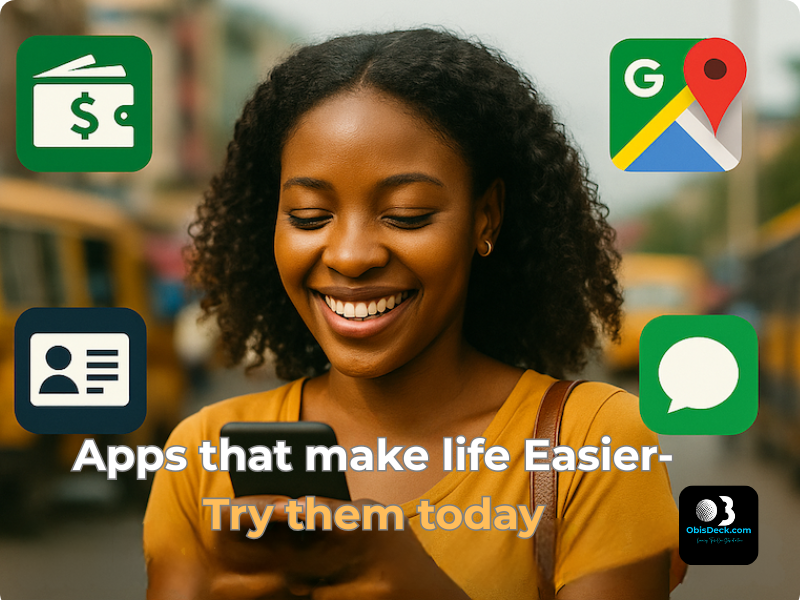
4 Must-Have Apps for Everyday Nigerians (That Make Life Easier Instantly)

Tagline: Learning Tech — One Step at a Time


🧠 Tech Isn’t Just for Techies

Everybody’s talking “tech this, tech that” — but what if you just want something that works?

You’re not trying to become the next Mark Zuckerberg. You just want to:

  • Pay bills quickly
  • Know when NEPA will bring light
  • Get your NIN without fighting queues

These things can now be done in minutes — if you know the right tools.
The best part? You don’t need political connections to enjoy them.

👤 I’ve used these myself. That’s why I’m asking you to try them too.


🔐 1. NIMC Mobile ID – Access Your National ID Instantly

Still looking for where to print your NIN slip? This app gives you a digital version — for free.

Why it matters:

Generate Virtual NIN for banks or employers

View your photo and NIN

Share your ID via scannable QR

How to Use:

  1. Download “MWS: NIMC Mobile ID” (Google Play / App Store)
  2. Enter your 11-digit NIN
  3. Verify your phone number via OTP

👤 This app saved hours of stress for friends I introduced it to. It can do the same for you.


💸 2. Opay – The Mobile Bank That Actually Works

What you can do:

  • Send/receive money (even when banks fail)
  • Buy airtime, data — often with discounts
  • Pay NEPA, cable bills, scratch cards
  • Use a virtual card for online shopping

To Get Started:

  1. Download Opay
  2. Register with your phone number
  3. Fund your wallet or link your bank

👤 I was skeptical at first — no clear address, no real office… But like we say, “trial convinced me.”
When banks fail, Opay stands “
gidigba”.


🗺️ 3. Google Maps – Not Just for Big Cities

Google Maps does more than guide you through Lagos or Abuja. It can:

  • Find clear roads and avoid traffic
  • Locate ATMs, petrol stations, or clinics
  • Download offline maps for remote areas

How to Use:

  • Open the Google Maps app
  • Search your area
  • Tap menu > “Offline Maps”
  • Download and save

👤 I almost missed a wedding in Ohozara, Abia State — Google Maps came to my rescue. It works anywhere.


🤖 4. ChatGPT – Your Free Tech Tutor, Writer & Idea Machine

ChatGPT is more than just a chatbot — it’s your AI-powered personal assistant.

What it can help you do:

  • Write CVs, proposals, or blog drafts
  • Translate into Pidgin, Hausa, or Igbo
  • Learn new skills — Canva, HTML, budgeting
  • Ask anything from “What is forex?” to “How to earn online in Nigeria?”

How to Use:

  1. Visit chat.openai.com or download the app
  2. Create a free account
  3. Start chatting

👤 From blog posts to color palette suggestions, ChatGPT helps me every day. It’s your free tech tutor.


🧩 Final Thoughts – Start Small, Keep Going

These 4 apps may seem small, but they can change your daily experience in big ways.

👉 Start with just one. Try it.
That’s the ObisDeck waylearning tech, one step at a time.


💬 Let’s Chat

Which app are you trying first? Already using one? Share your experience in the comments or drop a word.


📎 Coming Soon on ObisDeck

  • How to Use ChatGPT in Pidgin
  • Apps That Can Help You Earn Side Income in Nigeria
  • Step-by-Step: How to Create a Virtual Card on Opay

Learning ChatGPT – How I Asked Questions Without Feeling Silly

Introduction

I first heard about ChatGPT from a contributor on a well-known American TV station — and that’s when I realised it was more than a passing trend. Before that, I assumed it was just another flashy tech buzzword — something meant for coders or young people fluent in digital slang.

Someone even joked that ChatGPT was just a room full of brilliant people in New Delhi, manually answering questions through a chatbot. They doubted its so-called “large language model” and believed it was all a fluke.

At the time, I couldn’t see how a tool like that could fit into my world. I was still struggling to understand how to animate text in PowerPoint or use Excel’s formulas — and here was this new thing called “AI.”

But curiosity has a way of nudging you forward. What if this tool could help me learn faster, ask questions without fear, and make my late start in tech feel a little less overwhelming?

First Impressions


When I opened ChatGPT for the first time, I was surprised by how simple it looked. No fancy ribbons like in Microsoft Excel, no stylish home tabs like PowerPoint — just a blinking cursor waiting for me to speak. I still remember my question:

How do I train as a Microsoft Administrator?

A random thought, that I found out later, unconsciously captured the direction I would be heading. To my surprise, it answered — clearly, calmly, and without a hint of jargon or judgment. It felt… human. I kept going, asking even more questions. And with each response, my hesitation gave way to confidence.

What struck me was this: I didn’t have to sound like a tech expert. I could type in half-formed thoughts, and ChatGPT would still give me something useful. It became my quiet assistant — always patient, never tired.

Has Chatbots not been around for sometime now?

a phone displaying an introduction to ChatGPT on its screen

“Chatbots have been around for a while. Remember the little assistant on Luafthanzer’s website that helped with booking issues? Or Apple’s Siri, always ready to answer your questions?

But in 2018, something game-changing happened. A California-based tech company, OpenAI, introduced ChatGPT—a chatbot trained on a massive Large Language Model (LLM). Unlike older chatbots, it could rival human-like intelligence.Back then, I had no idea this even existed. But as I started my tech journey, I discovered how ChatGPT evolved—from just text to generating images, graphics, and more. Now, competitors like DeepSeek, Google Gemini, and others are reshaping the AI landscape even further


What I Can Do with It Now

  • Ask it to explain terms like “API”(Application Programming Interface) or “cloud storage” in plain English
  • Draft rough versions of blog posts 
  • Get unstuck when I need content ideas
  • Ask for step-by-step guidance on basic tools like Google Docs
  • Even get advice on design choices — like fonts to use on ObisDeck
  • Recently, it helped me successfully request a refund on a misleading purchase — step by step!

Tips for Beginners Like Me

  • You don’t need to be a “prompt engineer.” Just start typing.
  • Be clear and simple. For example:
    “How do I create a folder in Google Drive?”
    is better than
    “Google Drive tips.”
  • Ask everyday questions like:
    • “What image sizes work best for Facebook, Instagram, and LinkedIn?”
    • “How do I get started in Canva?”
    • “My internet is connected but not browsing — what should I check?”
  • If the answer feels too complex, just ask:
    “Can you explain that in simpler terms?”

How I Plan to Use It

ChatGPT has become part of my daily routine. I use it to:

  • Draft outlines for future blog posts
  • Generate image prompts for Canva and Midjourney
  • Clarify concepts before teaching them to others
  • Schedule or brainstorm blog content
  • Stay motivated in this lifelong learning journey

Closing Thoughts

Learning ChatGPT didn’t require programming skills — just curiosity and a willingness to try. It’s helped me feel less alone in this digital world, and more capable, one question at a time.

If you’re new to AI tools or even just tech-curious, try asking ChatGPT that question you’ve always been afraid to ask out loud.

You might be surprised how helpful it is.

Have you tried ChatGPT yet? What was your first question?

What Tech tool have you tried?, Please, share your experience with us today in the comment section below. We would like to learn from you too.