The Moment CSS Made Me Feel Confident

HTML helped me understand structure-the sequence that follows the words as we see them on our web pages.

CSS did something else.

It gave me confidence- The power to affect the styles and colours of those words: the building blocks, that appear on the web.

Not the loud kind of confidence. Not the kind that announces itself.
The quiet kind — the kind that settles in slowly and stays.


At first, Cascading Style Sheet, CSS felt like decoration.

Colors.
Spacing.
Fonts.
Layout tweaks.

It didn’t seem essential in the way HTML did. HTML explained what things were- essentially the building blocks. CSS only changed how they looked — or so I thought.

But the first time I changed a color and saw the page respond, something shifted.


Then it happened again.

I adjusted spacing and the layout stopped feeling cramped.
I styled a button and it finally looked clickable and appeared in clean colours that could be tweaked by mere adjustment of a few codes.
I fixed a broken alignment and understood why it had been wrong in the first place.

None of these moments were dramatic.
But together, they changed how I felt about what I was building.

For the first time, I wasn’t just placing content on a page.

I was shaping it.


CSS didn’t make me feel like an expert.

It made me feel in control — even if only a little.

That mattered more than I expected.

Before then, tech often felt fragile. One small change could break everything. the small frustration that creeps in when it does. I wasn’t always sure why something looked wrong, only that it did.

CSS slowed that chaos down. It meant that for every break, there is a reason. Once the reason is discovered and fixed, everything became normal again.

It taught me that layout follows rules.
That spacing isn’t random.
That visual structure has logic behind it.

Once I understood that, things stopped breaking “mysteriously.”

They broke for reasons. That clarity removed frustrations. If something breaks, find the cause and fix it. That awareness replaced frustrations with patience.


So CSS also taught me patience.

Sometimes a single property didn’t work the way I expected. Sometimes fixing one thing exposed another problem. Sometimes the solution wasn’t obvious.

But each adjustment taught me something.

I began to recognize patterns:

  • why elements stack the way they do,
  • why margins behave differently from padding,
  • why a small change can have a big visual effect…
  • And the beauty of all them put together.

The page stopped feeling hostile.

It started feeling negotiable.


What CSS really gave me wasn’t that beauty.

It gave me incremental control. A feeling of ability that was not as concrete as it became.

I didn’t need to know everything to improve something.
I just needed to understand the next small step.

That realization changed how I approached learning.

Learning tech wasn’t about mastery.
It was about steady influence over the system in front of me. A little consistent steps that beats intensity.


That confidence carried me forward.

Not because the next phase was easier — it wasn’t.
But because I had learned something important by then:

I could move from confusion to clarity, one adjustment at a time.

And once you experience that even once, you trust that it can happen again.


This post is part of my ongoing learning archive.
My Tech Learning Journey — One Step at a Time

Why I Started My Tech Journey with HTML

When I decided to learn tech, I didn’t start with Python or JavaScript.

I started with HTML.

Before then I had become very interested in how images, colours and texts take shape on the web. The forms they take from the time of request till when it appears on our screens. What is responsible for these dynamics? Why do some texts appear in italics, bold or normal? What is responsible for the difference in colours? How is the spacing between words achieved? Why do some texts appear on the right and others on the left? How is this achieved? How do I get to have options and when I make inputs, I get results? It was these interests that churned on as the days passed that led me to the building block of the web-HTML.

At the time, it didn’t feel like a bold decision especially when I discovered a few days into the study what Ai could now do in that respect. Even a friend of my in the Tech industry whom I had informed of my interest and my decision to learn this skill alluded to this fact. He said it was a waste of time and advised that I focus on other more profitable aspect of Tech. But that did not assuage the thirst and I kept on. And Thank God I did!

But it felt almost underwhelming. I did not understand why. HTML wasn’t glamorous. It didn’t promise automation, intelligence, or complex logic. It was just structure — tags, elements, and files.

And at first, it felt too simple.
Almost boring.

But looking back now, that simplicity was exactly what I needed. It provided the type of ground that formed my very first steps in this journey. The exact type I so much desired.


HTML was the first time tech stopped feeling abstract.

Before then, “the web” was something I used, not something I understood. Pages loaded. Buttons worked. Content appeared. But none of it had a shape in my mind only bewilderment that later gave rise to interest.

HTML changed that.

It showed me that the web isn’t magic — it’s structure.
Headings, paragraphs, links, images.
Files connecting to files.
Content arranged intentionally.

For the first time, I could see how things fit together.


What HTML gave me wasn’t intelligence.
It gave me orientation. A picture; an outline.

I began to understand:

  • how content is displayed,
  • how a browser reads files,
  • how one file can point to another,
  • how a simple mistake can break a page — and how fixing it restores order.

These weren’t advanced concepts, but they were grounding.

Instead of feeling lost inside “tech,” I had a map.


More importantly, HTML gave me early wins. I now saw how websites are built. How the texts are formed. How images are rendered.

I typed something.
I saved the file.
I opened it in a browser.

And there it was.

It didn’t matter that it looked ugly.
It didn’t matter that it wasn’t styled.
What mattered was that something I created appeared in front of me.

That moment did more for my confidence than any explanation ever could. And it was fun too to see the “magic” I could now activate!!


HTML didn’t make me feel “smart.”

It made me feel capable.

That difference is subtle, but important.

Feeling smart fades quickly when things get hard.
Feeling capable stays with you when you hit confusion.

I had been somewhat carefree in handling files. HTML taught me that I could:

  • follow structure,
  • make sense of errors,
  • fix what was broken,
  • and build something visible from nothing.

At the beginning, that matters more than complexity.


Looking back now, I see that starting with HTML wasn’t about learning a language.

It was about learning how to stand inside tech without fear.

It slowed things down in the right way.
It removed pressure.
It allowed understanding to form without intimidation.

Though I am still learning but that foundation made everything that followed possible.


If you’re starting tech today, HTML is not a waste of time.

It won’t impress anyone just like I did not impress my friend.
It won’t make you feel advanced.

But it will give you something more valuable early on:

A sense that you belong here.
A sense that you can build.
A sense that learning is possible.

And sometimes, that’s the most important foundation of all.


This post is part of my ongoing learning archive.
My Tech Learning Journey — One Step at a Time

Why I am Documenting My Tech Learning Properly This Time

I have been learning tech for a while now. 

HTML.
CSS.
JavaScript.
Python.

On paper, it looks like progress. And in many ways, it was.

But recently, I realized something important:

I learned, what I should consider, a lot of things, yet I didn’t truly document the journey.

Not the confusion.
Not the incessant nudge to give up.

Not the false starts.
Not the moments when things didn’t make sense but I kept going anyway.

What existed were outcomes — not the thinking that led to them.


For a long time, I assumed documentation was something you did after you had figured things out. Something reserved for experts, teachers, or people who already had clarity.

So I focused on consuming content instead:

  • tutorials,
  • guides,
  • videos,
  • explanations.

I was learning, yes — but quietly. Internally. Without leaving a trace of how my understanding was forming.

Looking back now, I see that this made it harder to notice patterns:

  • where I was improving,
  • where I was stuck,
  • what actually helped me move forward.

This time,  I am doing it differently.

Not because I suddenly became more disciplined.
Not because I want to teach.
And certainly not because I think I have “arrived.”

I am documenting because clarity doesn’t come from speed.
It comes from structure.

Writing forces me to slow down.
To name confusion instead of rushing past it.
To understand why something works, not just that it does.


This space — ObisDeck — is not a tutorial platform in the traditional sense.

It is:

  • a learning archive,
  • a thinking log,
  • a place where progress is allowed to be slow,
  • and where understanding is allowed to form honestly.

Some entries will be reflective.
Some will be practical.
Some will simply capture a shift in how I see things.

All of them will be real.


I am not documenting to prove anything.

I am documenting because I have learned that when learning remains invisible, it’s easy to feel like nothing is happening — even when growth is taking place.

By writing things down, I give my learning a shape.
By structuring it, I give it direction.

That’s what this journey is about.


If you’re learning tech quietly —
if you’ve started, stopped, restarted, or hesitated —
or if you’ve felt like you’re “doing the work” but still unsure where you stand,

you’re welcome to follow along.

This is not a race.
It’s a process.

And this is the first step.


This post is part of my ongoing learning archive.
My Tech Learning Journey — One Step at a Time

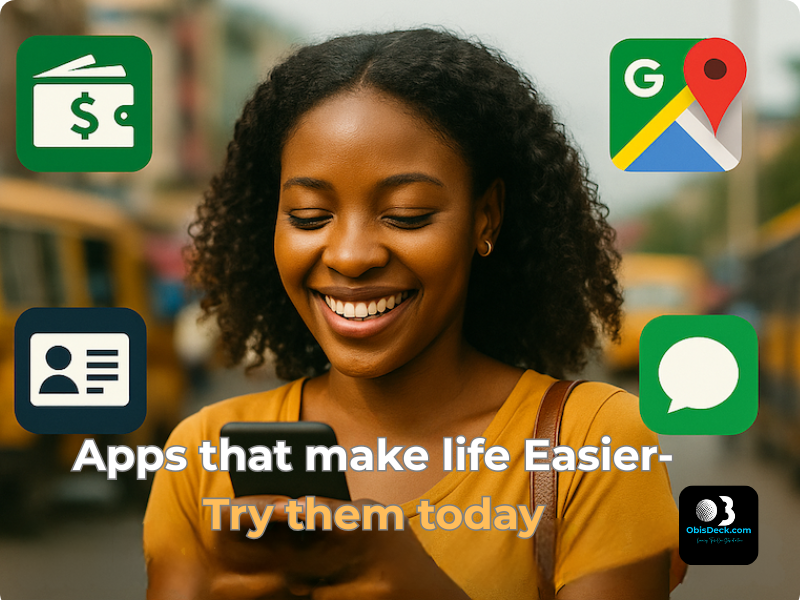
4 Must-Have Apps for Everyday Nigerians (That Make Life Easier Instantly)

Tagline: Learning Tech — One Step at a Time


🧠 Tech Isn’t Just for Techies

Everybody’s talking “tech this, tech that” — but what if you just want something that works?

You’re not trying to become the next Mark Zuckerberg. You just want to:

  • Pay bills quickly
  • Know when NEPA will bring light
  • Get your NIN without fighting queues

These things can now be done in minutes — if you know the right tools.
The best part? You don’t need political connections to enjoy them.

👤 I’ve used these myself. That’s why I’m asking you to try them too.


🔐 1. NIMC Mobile ID – Access Your National ID Instantly

Still looking for where to print your NIN slip? This app gives you a digital version — for free.

Why it matters:

Generate Virtual NIN for banks or employers

View your photo and NIN

Share your ID via scannable QR

How to Use:

  1. Download “MWS: NIMC Mobile ID” (Google Play / App Store)
  2. Enter your 11-digit NIN
  3. Verify your phone number via OTP

👤 This app saved hours of stress for friends I introduced it to. It can do the same for you.


💸 2. Opay – The Mobile Bank That Actually Works

What you can do:

  • Send/receive money (even when banks fail)
  • Buy airtime, data — often with discounts
  • Pay NEPA, cable bills, scratch cards
  • Use a virtual card for online shopping

To Get Started:

  1. Download Opay
  2. Register with your phone number
  3. Fund your wallet or link your bank

👤 I was skeptical at first — no clear address, no real office… But like we say, “trial convinced me.”
When banks fail, Opay stands “
gidigba”.


🗺️ 3. Google Maps – Not Just for Big Cities

Google Maps does more than guide you through Lagos or Abuja. It can:

  • Find clear roads and avoid traffic
  • Locate ATMs, petrol stations, or clinics
  • Download offline maps for remote areas

How to Use:

  • Open the Google Maps app
  • Search your area
  • Tap menu > “Offline Maps”
  • Download and save

👤 I almost missed a wedding in Ohozara, Abia State — Google Maps came to my rescue. It works anywhere.


🤖 4. ChatGPT – Your Free Tech Tutor, Writer & Idea Machine

ChatGPT is more than just a chatbot — it’s your AI-powered personal assistant.

What it can help you do:

  • Write CVs, proposals, or blog drafts
  • Translate into Pidgin, Hausa, or Igbo
  • Learn new skills — Canva, HTML, budgeting
  • Ask anything from “What is forex?” to “How to earn online in Nigeria?”

How to Use:

  1. Visit chat.openai.com or download the app
  2. Create a free account
  3. Start chatting

👤 From blog posts to color palette suggestions, ChatGPT helps me every day. It’s your free tech tutor.


🧩 Final Thoughts – Start Small, Keep Going

These 4 apps may seem small, but they can change your daily experience in big ways.

👉 Start with just one. Try it.
That’s the ObisDeck waylearning tech, one step at a time.


💬 Let’s Chat

Which app are you trying first? Already using one? Share your experience in the comments or drop a word.


📎 Coming Soon on ObisDeck

  • How to Use ChatGPT in Pidgin
  • Apps That Can Help You Earn Side Income in Nigeria
  • Step-by-Step: How to Create a Virtual Card on Opay

HTML Basics: The First Building Block of the Web

What I’ve Learned So Far About the Web’s Foundation

I will never forget how my love for literature opened the doors to the world of tech. From Shakespeare to Chimamanda Ngozi Adichie (my second daughter’s namesake), I was always drawn to how words shape meaning. Back then, everything I read followed the same form — paragraphs, punctuation, printed language.

But today, the internet has become the new library, the global stage, the printing press of our age. It holds books, news, images, videos, and even live broadcasts — all formatted and structured not just by language, but by code.At first, I thought writing online followed the same rules as traditional writing. I was wrong. The internet has its own structure, and its name is HTML — a powerful, silent language that gives order and shape to the web.

What Is HTML, Really?

HTML stands for HyperText Markup Language.It’s the skeleton of every website you see — organizing content, defining where things appear, and making sure the browser knows how to display them. HTML does not  make websites look beautiful (that’s CSS), or make them respond to actions (that’s JavaScript), but without it, there would be no structure at all.

My First Few Tags

I started with just a few basic tags:

<html>, <head>, <body>, <p>, <h1>

At first, they looked strange. But once I practiced wrapping my words inside them, I began to see the pattern. <h1> gave me headlines. <p> wrapped my thoughts into neat paragraphs. <body> told the browser, “Here’s the main content.” Suddenly, I wasn’t just writing — I was building.

Mistakes I Made as a Beginner

Like any beginner, I stumbled:

To have order, there must be rules.

  • I forgot to close tags (</p>, </body>) and watched my whole page collapse
  • I confused class and id between HTML and CSS
  • I sometimes put CSS rules directly inside HTML, not knowing how to link stylesheets

But each mistake taught me something.

What’s Next?

Now that I understand the basics, I am excited to:

  • Combine HTML with CSS for layout and design
  • Create simple templates I can reuse
  • Practice building pages from scratch using VS Code

Final Thoughts

If you are new to coding, look here but here’s my advice:

Start small. Test often. Don’t be afraid to break things.

With every tag you write, you will understand more about how the web works — and the satisfaction that comes from seeing your ideas take shape is unlike anything else.

Feel free to share your first steps in coding, or drop any questions below. Let’s learn together — one tag at a time.

Learning ChatGPT – How I Asked Questions Without Feeling Silly

Introduction

I first heard about ChatGPT from a contributor on a well-known American TV station — and that’s when I realised it was more than a passing trend. Before that, I assumed it was just another flashy tech buzzword — something meant for coders or young people fluent in digital slang.

Someone even joked that ChatGPT was just a room full of brilliant people in New Delhi, manually answering questions through a chatbot. They doubted its so-called “large language model” and believed it was all a fluke.

At the time, I couldn’t see how a tool like that could fit into my world. I was still struggling to understand how to animate text in PowerPoint or use Excel’s formulas — and here was this new thing called “AI.”

But curiosity has a way of nudging you forward. What if this tool could help me learn faster, ask questions without fear, and make my late start in tech feel a little less overwhelming?

First Impressions


When I opened ChatGPT for the first time, I was surprised by how simple it looked. No fancy ribbons like in Microsoft Excel, no stylish home tabs like PowerPoint — just a blinking cursor waiting for me to speak. I still remember my question:

How do I train as a Microsoft Administrator?

A random thought, that I found out later, unconsciously captured the direction I would be heading. To my surprise, it answered — clearly, calmly, and without a hint of jargon or judgment. It felt… human. I kept going, asking even more questions. And with each response, my hesitation gave way to confidence.

What struck me was this: I didn’t have to sound like a tech expert. I could type in half-formed thoughts, and ChatGPT would still give me something useful. It became my quiet assistant — always patient, never tired.

Has Chatbots not been around for sometime now?

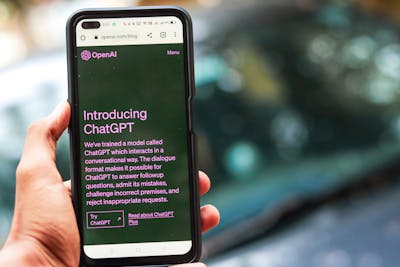
a phone displaying an introduction to ChatGPT on its screen

“Chatbots have been around for a while. Remember the little assistant on Luafthanzer’s website that helped with booking issues? Or Apple’s Siri, always ready to answer your questions?

But in 2018, something game-changing happened. A California-based tech company, OpenAI, introduced ChatGPT—a chatbot trained on a massive Large Language Model (LLM). Unlike older chatbots, it could rival human-like intelligence.Back then, I had no idea this even existed. But as I started my tech journey, I discovered how ChatGPT evolved—from just text to generating images, graphics, and more. Now, competitors like DeepSeek, Google Gemini, and others are reshaping the AI landscape even further


What I Can Do with It Now

  • Ask it to explain terms like “API”(Application Programming Interface) or “cloud storage” in plain English
  • Draft rough versions of blog posts 
  • Get unstuck when I need content ideas
  • Ask for step-by-step guidance on basic tools like Google Docs
  • Even get advice on design choices — like fonts to use on ObisDeck
  • Recently, it helped me successfully request a refund on a misleading purchase — step by step!

Tips for Beginners Like Me

  • You don’t need to be a “prompt engineer.” Just start typing.
  • Be clear and simple. For example:
    “How do I create a folder in Google Drive?”
    is better than
    “Google Drive tips.”
  • Ask everyday questions like:
    • “What image sizes work best for Facebook, Instagram, and LinkedIn?”
    • “How do I get started in Canva?”
    • “My internet is connected but not browsing — what should I check?”
  • If the answer feels too complex, just ask:
    “Can you explain that in simpler terms?”

How I Plan to Use It

ChatGPT has become part of my daily routine. I use it to:

  • Draft outlines for future blog posts
  • Generate image prompts for Canva and Midjourney
  • Clarify concepts before teaching them to others
  • Schedule or brainstorm blog content
  • Stay motivated in this lifelong learning journey

Closing Thoughts

Learning ChatGPT didn’t require programming skills — just curiosity and a willingness to try. It’s helped me feel less alone in this digital world, and more capable, one question at a time.

If you’re new to AI tools or even just tech-curious, try asking ChatGPT that question you’ve always been afraid to ask out loud.

You might be surprised how helpful it is.

Have you tried ChatGPT yet? What was your first question?

What Tech tool have you tried?, Please, share your experience with us today in the comment section below. We would like to learn from you too.